WordPress vs Wix vs Squarespace,Which Is Best?
You're ready to build a website. You've done a quick Google search and now you're staring at three names that keep coming up everywhere: WordPress, Wix, and Squarespace.
All three can get you online. But they are not the same — not even close. Choosing the wrong one can mean rebuilding your entire site a year from now, losing SEO rankings, or paying for features you could have had for free.
This guide breaks down the real differences — not the marketing fluff. By the end, you'll know exactly which platform fits your goals, your budget, and your technical comfort level.
1. Quick Verdict: Which Platform Wins?
Before we go deep, here's the short answer:
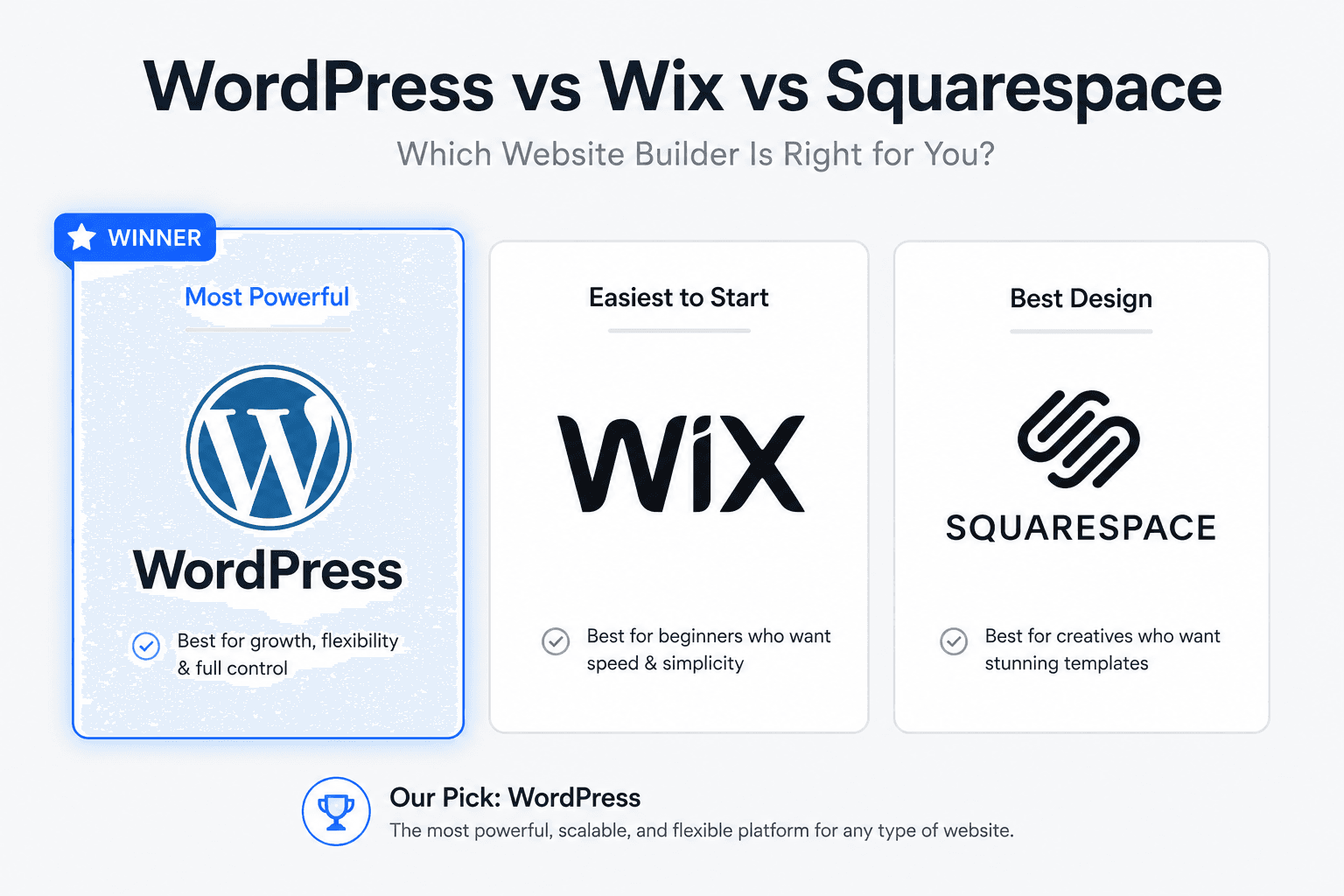
- WordPress — Best for anyone serious about growth, SEO, customization, and long-term control. Steeper learning curve, but unmatched power.
- Wix — Best for beginners who want to get online quickly with minimal technical effort. Good for simple sites, limited for serious scaling.
- Squarespace — Best for creatives, portfolios, and small businesses who prioritize beautiful design over flexibility. Clean and polished, but walled in.
The rest of this guide explains exactly why — with real comparisons across every dimension that matters.
2. Platform Overviews at a Glance
| Feature | WordPress | Wix | Squarespace |
|---|---|---|---|
| Type | Self-hosted CMS | Hosted website builder | Hosted website builder |
| Market share | 43% of all websites | ~3.8% | ~3% |
| Free plan | Free software (hosting costs extra) | Yes (with Wix branding) | Trial only |
| Ease of use | Moderate learning curve | Very easy | Easy |
| Design flexibility | Unlimited | Moderate | Good but restricted |
| SEO control | Full control | Basic | Decent but limited |
| eCommerce | Full via WooCommerce | Built-in (limited) | Built-in (decent) |
| Plugins/Apps | 60,000+ plugins | ~300 apps | ~40 extensions |
| Ownership | You own everything | Platform-dependent | Platform-dependent |
3. Ease of Use
Wix — The Easiest Starting Point
Wix wins on pure beginner-friendliness. Its drag-and-drop editor lets you move literally anything anywhere on the page. There's no hosting to set up, no FTP clients, no database management. You sign up, pick a template, and start editing.
Wix also has an AI website builder (Wix ADI) that asks you a few questions and builds a starter site for you automatically. For someone who has never built a website and just needs something live quickly, Wix removes almost every barrier.
The catch: That freedom comes with hidden limitations. You can't switch templates after publishing without rebuilding from scratch. And the editor's total flexibility can actually make it harder to keep a design consistent and professional.
Squarespace — Polished and Guided
Squarespace is slightly more structured than Wix, which is actually a good thing for many users. Rather than letting you put anything anywhere, it guides you within a well-designed framework. The result is sites that look more consistently polished.
The editor is intuitive, and Squarespace's templates are genuinely some of the best-looking in the industry. Setup is fast, and you don't need any technical knowledge to publish a good-looking site.
The catch: Less flexibility than Wix in terms of layout freedom. What you see in the template is largely what you get.
WordPress — Most Powerful, Requires More Effort
WordPress has a steeper initial learning curve than either Wix or Squarespace. You need to choose a hosting provider, install WordPress, pick and configure a theme, and add the right plugins for your needs.
That said, modern WordPress with the Gutenberg block editor is far more beginner-friendly than it used to be. And with page builders like Elementor or Divi, building visually impressive pages without code is very achievable.
The payoff for the initial effort is total control — over your design, your data, your SEO, your performance, and your future growth.
Bottom line on ease of use: Wix > Squarespace > WordPress for pure beginner speed. But "easy to start" and "good for your goals" aren't always the same thing.
4. Design and Customization
WordPress: Truly Unlimited
There is no ceiling on what you can build with WordPress. Thousands of free and premium themes give you a starting point, and page builders like Elementor, Divi, Beaver Builder, and the native Gutenberg editor let you customize every pixel.
Need a completely custom design? Hire a developer and build anything from scratch. Need a specific layout? There's a plugin or theme for it. Need to change something your theme doesn't support? Add custom CSS or PHP.
WordPress is the only platform on this list where your design options are genuinely unlimited.
Squarespace: Beautiful but Bounded
Squarespace templates are stunning — probably the best-looking out of the box of any platform here. But customization has real limits. You work within the template's structure, and while you can adjust colors, fonts, spacing, and content blocks, making significant layout changes often requires custom CSS knowledge.
For creative professionals — photographers, designers, agencies — Squarespace's visual quality is a genuine selling point. For anyone who needs something highly specific, it's a constraint.
Wix: Free but Inconsistent
Wix's editor gives you the most layout freedom of any website builder — you can drag elements freely without a grid system. This sounds great until you realize it also makes it easy to create designs that look inconsistent across different screen sizes.
Wix has improved its responsive design tools, but it still lags behind WordPress and Squarespace in delivering consistently professional results across all devices.
5. SEO Capabilities
This is one of the most important comparisons — and one where the platforms differ dramatically.
WordPress: The Clear SEO Winner
WordPress gives you complete control over every SEO element that matters:
- Custom title tags and meta descriptions for every page
- Full URL structure control
- Schema markup (via plugins)
- XML sitemaps
- Robots.txt editing
- Canonical tags
- Open Graph and Twitter Card control
- Core Web Vitals optimization
- Advanced redirect management
And that's before you even add an SEO plugin. With tools like WPMazic SEO, you get a complete SEO management system built directly into your WordPress dashboard — covering on-page optimization, schema automation, site health monitoring, and more. It's the kind of SEO control that Wix and Squarespace simply can't match.
Wix: SEO Has Improved, But Still Limited
Wix has invested heavily in improving its SEO capabilities over the past few years, and it shows. You can now set title tags, meta descriptions, alt text, and basic schema. Their SEO Setup Checklist is actually a helpful guide for beginners.
But Wix still has limitations. URL structures are less flexible. Server-side rendering issues can affect crawlability. And the depth of control available on WordPress — particularly for technical SEO — simply isn't there.
Squarespace: Decent Basics, No Advanced Control
Squarespace handles SEO basics well — clean URLs, automatic sitemaps, SSL by default, and mobile-responsive designs. Meta titles and descriptions are editable per page.
Where it falls short is technical SEO depth. You can't edit robots.txt directly. Schema options are limited. Advanced redirect rules require workarounds. For a small portfolio site, this is fine. For a content-heavy site trying to dominate a competitive niche, it's not enough.
Pro Tip: If SEO is important to your business — and for most businesses it should be — WordPress is the only platform on this list that gives you the tools to compete at a high level. A solid SEO plugin like WPMazic SEO turns that advantage into a system.
6. eCommerce Features
WordPress + WooCommerce: Most Powerful
WooCommerce, the free WordPress eCommerce plugin, powers over 28% of all online stores worldwide. It handles everything from simple digital downloads to complex multi-vendor marketplaces with thousands of products.
- Unlimited products with no transaction fees (beyond payment processor)
- Full control over checkout flow, cart design, and order management
- Hundreds of WooCommerce extensions for subscriptions, bookings, memberships, and more
- Deep integration with shipping carriers, payment gateways, and CRMs
- Complete ownership of your customer data
The setup requires more effort than hosted solutions, but the payoff is a store with no artificial limits on growth.
Squarespace: Good for Small Stores
Squarespace's built-in eCommerce is clean, well-designed, and easy to set up. Product pages look great out of the box. It handles physical products, digital downloads, and services well.
Limitations: transaction fees on lower plans, limited payment gateways (Stripe and PayPal primarily), fewer integration options, and no real path to complex store functionality without switching platforms.
Wix: Basic eCommerce
Wix eCommerce works for simple stores selling a small number of products. Setup is fast, and the interface is easy for beginners. But it struggles at scale — inventory management is basic, reporting is limited, and the transaction fees and plan restrictions become painful as you grow.
7. Pricing Breakdown
WordPress
- WordPress software: Free
- Hosting: $3–$30/month (shared to managed)
- Domain: ~$15/year
- Theme: Free to $100 (one-time)
- Plugins: Free to $200+/year depending on what you need
- Realistic starting cost: $5–$15/month for a basic site
WordPress scales economically because most functionality is available through free plugins. You pay for what you need, not for a platform tier.
Wix
- Free plan: Available (with Wix branding and ads)
- Combo plan: ~$16/month
- Business plans: $27–$59/month
- eCommerce plans: $17–$35/month
- Note: Price increases on renewal are common. Features locked behind higher tiers add up fast.
Squarespace
- Personal plan: ~$16/month
- Business plan: ~$23/month (2% transaction fee on sales)
- Commerce Basic: ~$28/month
- Commerce Advanced: ~$52/month
- Note: No free plan — only a 14-day trial. All plans include hosting and SSL.
Real talk on pricing: WordPress appears more complex but is often cheaper long-term, especially as your site grows. Wix and Squarespace pricing is simpler but less transparent once you factor in plan upgrades and feature limitations.
8. Performance and Speed
WordPress: Best Potential, Needs Configuration
WordPress can be incredibly fast — some of the fastest websites on the internet run on WordPress. But it requires intentional optimization: choosing a fast host, using a caching plugin, optimizing images, and minimizing unnecessary plugins.
Out of the box, WordPress performance varies significantly based on your theme and hosting. With proper setup, it outperforms both Wix and Squarespace.
Squarespace: Consistent, Managed Performance
Because Squarespace controls the entire stack, performance is consistent. You don't need to worry about hosting configuration or caching plugins. For most small to mid-size sites, Squarespace delivers solid load times without any technical setup.
Wix: Has Improved, Still Lags
Wix has historically struggled with page speed, partly due to its flexible editor generating heavier code. Significant improvements have been made, but independent performance benchmarks still show Wix trailing WordPress (optimized) and Squarespace in Core Web Vitals metrics.
9. Security
WordPress: Powerful Security — Your Responsibility
WordPress is a frequent target for hackers simply because it powers so much of the web. The good news: the security tools available are excellent. The bad news: you're responsible for implementing them.
Regular updates, strong passwords, a security plugin like Wordfence or MalCare, and a reliable host with server-level security are the foundations. Managed WordPress hosts handle much of this automatically.
Wix and Squarespace: Handled for You
Both platforms handle security at the infrastructure level — SSL, DDoS protection, automatic updates, and secure hosting are all included. You don't need to think about security configuration.
The trade-off: you have no control over the security stack. If a platform-level vulnerability is discovered, you're waiting for the company to patch it.
10. Scalability and Growth
This is where the gap between WordPress and the hosted builders becomes most obvious.
WordPress: Scales Without a Ceiling
Small blog. Growing media publication. Enterprise eCommerce store. Global SaaS platform. WordPress handles all of it. There is no point at which you outgrow WordPress — you simply upgrade your hosting, optimize your stack, and keep growing.
Your data, your code, your content — all of it is yours. You can migrate to any host at any time. You're never locked in.
Wix and Squarespace: Hit Walls
Both platforms work well at small scale. But as your needs grow — more complex functionality, higher traffic, advanced integrations, custom workflows — you'll start hitting platform limits that require either workarounds or eventually a full migration to a different platform.
Migrating away from Wix or Squarespace is painful. Your content doesn't export cleanly, your design doesn't transfer, and you essentially rebuild from scratch. That's a real cost many users don't anticipate when they start.
11. Who Should Use Which Platform?
Choose WordPress if you:
- Want full control over your site's design, SEO, and functionality
- Plan to grow your site significantly over time
- Run or plan to run an online store with serious ambitions
- Need specific functionality that requires custom plugins or development
- Care deeply about SEO and want access to professional-grade tools
- Want to own your data and never be dependent on a platform's decisions
Choose Wix if you:
- Need to get a simple site live as fast as possible
- Have minimal technical knowledge and no interest in learning
- Run a local business that needs a basic online presence
- Are building something temporary or experimental
- Don't expect to need advanced SEO or complex functionality
Choose Squarespace if you:
- Are a photographer, artist, designer, or creative professional
- Want a stunning portfolio or simple business site with minimal setup
- Prioritize visual quality over technical flexibility
- Run a small shop selling a limited range of products
- Want a managed, hassle-free hosting experience
12. Frequently Asked Questions
Is WordPress better than Wix for SEO?
Yes, significantly. WordPress gives you complete control over every technical and on-page SEO element. With an SEO plugin like WPMazic SEO, you can manage schema, sitemaps, redirects, meta data, and site health all in one place. Wix has improved its SEO features but still can't match the depth of control WordPress offers.
Can I switch from Wix or Squarespace to WordPress later?
Yes, but it's not seamless. Blog content can often be exported and imported, but design elements, page layouts, and site structure typically need to be rebuilt from scratch. The earlier you start on WordPress, the more you avoid this pain down the road.
Is WordPress free?
The WordPress software itself is free. You'll need to pay for hosting (starting around $3–5/month), a domain name (~$15/year), and optionally a premium theme or plugins. Total startup cost is much lower than most people expect.
Which platform is best for a small business website?
For most small businesses, WordPress is the best long-term choice because of its SEO capabilities, scalability, and cost efficiency. If you need something live today with zero technical setup, Squarespace is a better short-term option than Wix for a professional result.
Is Squarespace good for SEO?
Squarespace handles SEO basics well — clean URLs, SSL, mobile responsiveness, editable meta data. But it lacks the technical depth for competitive SEO. You can't edit robots.txt, schema options are limited, and there's no equivalent to a full-featured SEO plugin like what WordPress offers.
Which platform is easiest for beginners?
Wix is the easiest for complete beginners with no technical knowledge. Squarespace is a close second and often produces more polished results. WordPress requires more initial setup but is well worth learning for anyone serious about their online presence.
Does WordPress work for eCommerce?
Absolutely. WooCommerce (the free WordPress eCommerce plugin) powers over 28% of all online stores globally. It supports unlimited products, multiple payment gateways, subscriptions, bookings, and virtually any eCommerce use case — with no forced transaction fees.
Which platform is best for blogging?
WordPress was built for blogging and remains the best option by a wide margin. It offers superior content management, category and tag organization, commenting systems, editorial workflows, and of course, unmatched SEO tools for growing an audience through search.
13. Conclusion
Wix and Squarespace are good products. For the right person with the right goals, they do exactly what they promise — get you online quickly with minimal friction.
But if you're serious about building something that grows — a blog that gets search traffic, a store that scales, a business site that competes — WordPress is in a different category. It's not just a website builder. It's a platform that gives you complete ownership and unlimited room to grow.
The learning curve is real but manageable. And the tools available to WordPress users — from WooCommerce for eCommerce to WPMazic SEO for search optimization — make it the most powerful and cost-effective choice for anyone with real ambitions for their online presence.
Start with the right foundation. Build on WordPress.
Ready to get started? Explore WPMazic SEO to give your WordPress site the SEO edge it deserves → wpmazic.com
https://wpmazic.com/wordpress-vs-wix-vs-squarespace/?fsp_sid=85


Comments
Post a Comment