WordPress 7.0 New Features
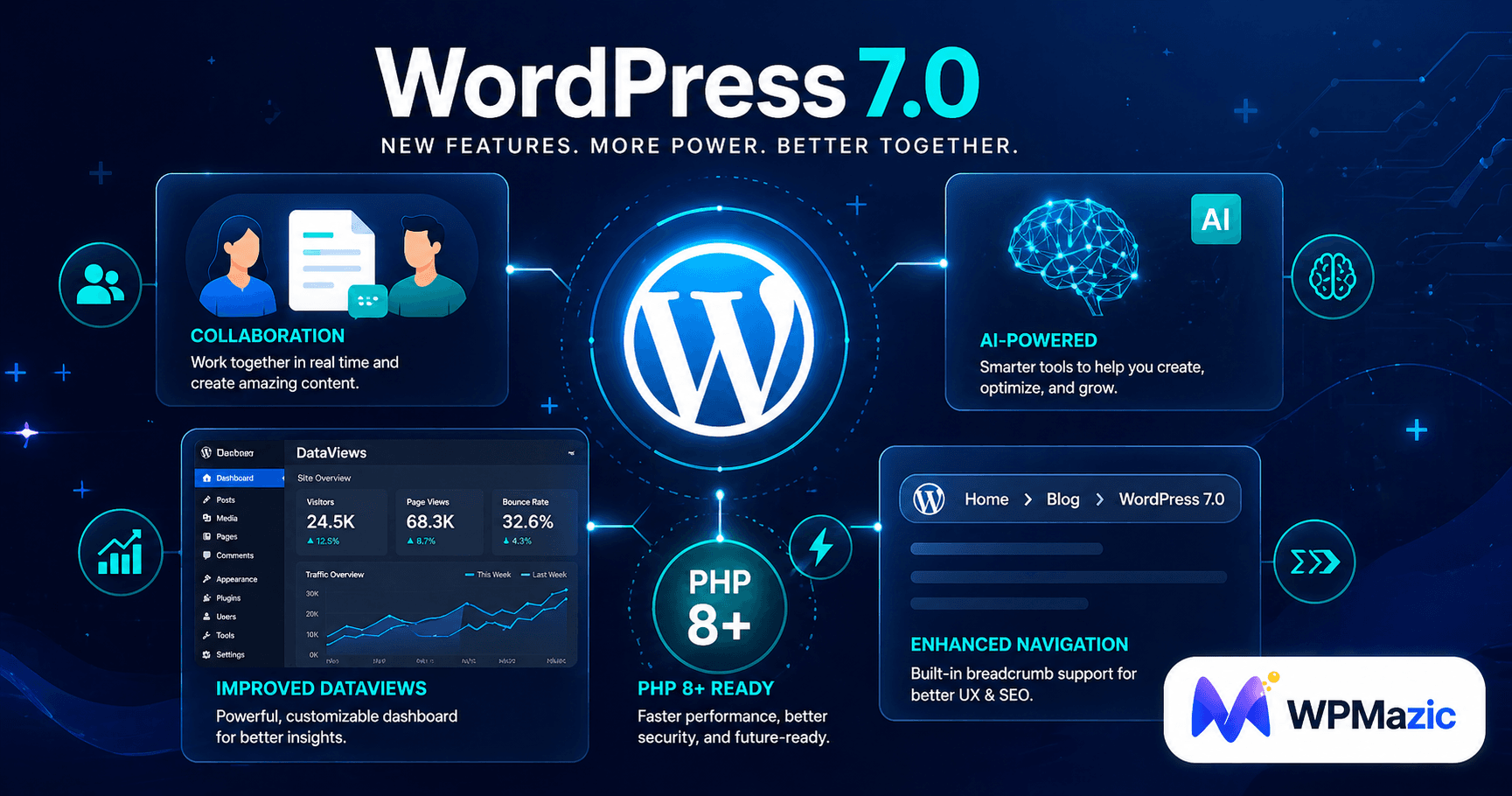
Something big is happening inside WordPress — and if you manage websites for a living, you can't afford to miss it.
For much of 2025, the WordPress world was quieter than usual. Legal battles, paused contributions, and governance discussions slowed the development pace to a crawl. There was only one major release — WordPress 6.9 — where there should have been three. The community was patient, but the anticipation was building.
Now, WordPress 7.0 is here. And it was worth the wait.
This isn't just another point release with tweaked editor styles and a new default theme. WordPress 7.0 is the most significant, transformative update since the Block Editor launched in WordPress 5.0 back in 2018. It marks the official beginning of Gutenberg Phase 3: Collaboration — a fundamental reimagining of WordPress as a team-based, real-time collaborative publishing platform.
We're talking about Google Docs-style co-editing built directly into WordPress. An AI framework that brings native intelligence to every plugin. A completely redesigned admin interface. New blocks. Higher performance. Stricter (and smarter) PHP requirements. And a roadmap that points toward an even more ambitious Phase 4 in 2027.
In this guide, we're going to break down every confirmed feature in WordPress 7.0 — what it is, how it works, why it matters, and what you need to do to prepare. Whether you're a solo blogger, a small business owner, a WordPress developer, or an agency managing dozens of client sites, this is your definitive briefing.
1. What Is WordPress 7.0? (And Why It's a Big Deal)
Every major WordPress release carries a version number and a theme. WordPress 7.0's theme is "Workflows."
That single word tells you everything. For years, WordPress has been exceptional at managing and publishing content — but it was designed for solo editors working in isolation. If you ran a team of writers, editors, designers, and clients, you needed to stitch together a patchwork of external tools: Google Docs for collaborative drafting, Slack for feedback, Trello for task management, and then finally back to WordPress to actually publish.
WordPress 7.0 changes that workflow fundamentally. It brings the collaboration layer directly into the CMS — so your team can write, review, comment, revise, and publish all within a single, unified environment.
But collaboration is only part of the story. WordPress 7.0 also introduces the platform's first native AI framework, a dramatically redesigned admin interface, new blocks, higher PHP requirements that unlock better performance, and a raft of developer improvements.
43%
of all websites on the internet run on WordPress.
WordPress 7.0 affects more websites than any other software update in history.
of all websites on the internet run on WordPress.
WordPress 7.0 affects more websites than any other software update in history.
This release is being led by Release Lead Matias Ventura, with tech leads Ella van Durpe and Mukesh Panchal steering the technical development. After a turbulent 2025 that included the WP Engine vs. Automattic legal dispute and a significant slowdown in core contributions, WordPress 7.0 represents a confident, focused comeback — with the community's most ambitious feature set in years.
🔍 Context Matters: WordPress 7.0 is the first major release since 5.0 (which introduced the Block Editor in 2018) to fundamentally change how users and teams interact with the platform. This isn't an incremental update. It's a paradigm shift.
2. Release Date, Timeline & The Delay Explained
The WordPress 7.0 release story has a small twist — and understanding it is important if you're planning your upgrade strategy.
Original Target: April 9, 2026
WordPress 7.0 was strategically scheduled to launch on April 9, 2026, timed to coincide with WordCamp Asia in Mumbai. It would have been a powerful, globally visible launch moment for the project's comeback after a difficult 2025.
The Delay: What Happened
Shortly before the April 9 date, the core team announced an official delay. The reason was specific and honest: testing feedback revealed stability issues in the real-time collaboration data storage architecture. The team received significant feedback during Beta testing that required additional work on the CRDT sync layer — the technical foundation that makes simultaneous collaborative editing reliable.
The decision to delay was widely praised by the developer community. Shipping a flagship collaboration feature with known instability would have undermined trust in WordPress at exactly the moment the project needs to rebuild it.
📅 Current Status (as of late April 2026): WordPress 7.0 is in Release Candidate stage. RC1 was released on March 19, 2026. The final general availability release is now expected in mid-to-late May 2026. WordPress 7.1 is tentatively scheduled for August 19, 2026, and WordPress 7.2 for December 2026 — marking a return to a three-release-per-year cadence.
Full Release Timeline at a Glance
December 2025 — WordPress 6.9 released. Introduces Notes (block-level commenting), Command Palette improvements, and early Abilities API foundations. Acts as the "stabilizer" before 7.0.
February 19, 2026 — WordPress 7.0 Beta 1 announced. Testing opens to the public.
March 10, 2026 — WordPress 6.9.2 security release patches ten vulnerabilities. Critical update for all 6.x users.
March 19, 2026 — WordPress 7.0 Release Candidate 1 (RC1) published.
April 9, 2026 — Original target launch date. Delayed by core team for RTC stability testing.
Mid-to-Late May 2026 (Expected) — WordPress 7.0 General Availability.
August 19, 2026 (Tentative) — WordPress 7.1. Deeper collaboration, always-iframed editor, Tabs block.
December 2026 (Expected) — WordPress 7.2. Continued collaboration features, early Phase 4 groundwork.
3. Gutenberg Phase 3: Collaboration — The Big Picture
To truly understand what WordPress 7.0 is doing, you need to know where it sits in the bigger Gutenberg roadmap. The Gutenberg project — WordPress's multi-year initiative to modernize the platform — is structured in four phases:
Phase 1 (Complete — WP 5.0): The Block Editor. Replaced the classic TinyMCE editor with a visual, block-based editing experience.
Phase 2 (Complete — WP 5.9–6.x): Full Site Editing. Extended block editing to templates, headers, footers, and the entire site layout.
Phase 3 (Active — WP 7.0+): Collaboration. Transforms WordPress from a solo tool into a real-time team platform. This is where we are now.
Phase 4 (Planned — 2027+): Multilingual. Native multilingual content management built into WordPress core — no plugins required.
WordPress 7.0 is the formal opening act of Phase 3. It introduces the foundational infrastructure for team collaboration and sets the stage for increasingly powerful workflow features in 7.1, 7.2, and beyond.
"WordPress 7.0 is the most anticipated major release since 5.0. It's not just collaboration — it's the platform growing up into a tool that serious teams can rely on without the external toolstack they've been patching together for years."
4. Real-Time Collaborative Editing (The Headline Feature)
🟢 Real-Time Collaboration (RTC) New in 7.0
Multiple users can now edit the same WordPress post or page simultaneously — with live, visible changes, cursor presence indicators, and near-instant synchronization. Think Google Docs, but inside WordPress.
This is the feature that defines WordPress 7.0. For teams that have been copying content from Google Docs into WordPress, emailing drafts back and forth, or accidentally overwriting each other's work through WordPress's old "post locking" system — this changes everything.
How It Works Technically
The implementation is thoughtful and practically engineered. Here's how the team solved the hard problems:
CRDT-Based Conflict Resolution
WordPress 7.0's real-time collaboration uses CRDT (Conflict-free Replicated Data Type) logic for handling simultaneous edits. CRDTs are the same mathematical approach that powers collaboration in tools like Notion and Figma — they ensure that when two users edit the same content at the same time, changes merge intelligently rather than one person's work overwriting the other's.
HTTP Polling (Not WebSockets)
Rather than using WebSockets — which would have required hosting infrastructure upgrades and excluded millions of shared hosting users — the core team chose HTTP polling as the sync transport mechanism. This was a deliberate, pragmatic decision that makes real-time collaboration available on virtually every hosting environment, from the most basic shared hosting to enterprise infrastructure.
Updates are batched and requests are compacted periodically to minimize server load. The sync provider architecture is also modular — the storage and transport layer can be swapped out, meaning hosts can offer WebSocket-based providers for even smoother performance in the future.
Storage Architecture
Collaboration data is stored persistently using post meta on a dedicated internal post type called
wp_sync_storage. This ensures sync data survives interruptions and page refreshes — a critical reliability requirement for production use.Presence Indicators
When multiple users are editing the same post, you'll see presence indicators showing who is in which block — similar to the colored user avatars in Google Docs. This gives contributors clear situational awareness without needing a separate communication channel.
Default Collaborator Limit
The client-side Gutenberg code initially limits simultaneous collaborators to two per post. This is a conservative default for stability. Hosts and site administrators can adjust this limit via a constant in
wp-config.php, or implement a custom sync provider for higher-concurrency environments.⚠️ Hosting Note: Real-time collaboration uses HTTP polling and works on all hosting environments. However, if your host offers WebSocket support, plugin developers will be able to build enhanced providers for an even smoother experience. Confirm with your host about their WordPress 7.0 compatibility roadmap.
What This Means for Your Team in Practice
Practically speaking, real-time collaboration eliminates some of the most painful workflows in modern WordPress operations:
- No more Google Docs handoffs: Writers can draft directly in WordPress while editors review and revise simultaneously
- No more "someone else is editing" lockout screens: The old post locking system is replaced with graceful concurrent editing
- No more version confusion: Everyone sees the same live document state
- No more copy-paste errors: Content stays in one place throughout the entire workflow
🎯 Pro Tip for Agencies: Real-time collaboration is a genuine competitive differentiator when pitching WordPress-based solutions to mid-market clients. You can now credibly offer Google Docs-level teamwork without the friction of context-switching between tools. Build this into your client onboarding pitch.
5. Notes & Inline Block Comments
💬 Notes System (Block-Level Comments) Phase 3 Feature
A full inline commenting and feedback system built directly into the block editor. Leave contextual comments on specific blocks — similar to Google Docs' comment sidebar — for asynchronous team review workflows.
Notes were first introduced as a preview in WordPress 6.9 and receive significant enhancements in 7.0. They address the asynchronous side of collaboration — when your team isn't all online at the same time, you still need a way to leave feedback tied to specific content.
Key Capabilities
- Comment on any specific block — paragraphs, headings, images, embeds
- Reply to comments in a threaded conversation view within the editor
- Resolve comments to mark feedback as actioned
- Comments are attached to content, not just the page — they follow blocks if content is reorganized
- Email notifications for new comments on posts you're involved with
- Compatible with user roles — contributors can receive feedback from editors without needing full edit access
Combined with real-time collaboration, the Notes system gives WordPress teams both synchronous (live co-editing) and asynchronous (comment and review) collaboration in one platform. For editorial teams and content agencies, this is the combination that makes external tools genuinely redundant.
6. Visual Revision Tracking
🔍 Visual Revision Tracking New in 7.0
A visual, color-coded system for reviewing changes in the block editor. See exactly what was added, removed, or modified — directly in the document itself, not buried in a diff log.
WordPress has always had a revision history feature, but it was limited — you could see different saved versions of a post and do a basic text comparison. WordPress 7.0 brings this into the modern era with a visual, in-editor overlay that makes reviewing changes fast and intuitive.
How the Color-Coding Works
| Color | Meaning |
|---|---|
| 🟢 Green outline | Added blocks |
| 🔴 Red outline | Removed blocks |
| 🟡 Yellow outline | Modified blocks (settings/styling changes) |
| Green underline | Added text within a block |
| Red strikethrough | Removed text within a block |
| Yellow text outline | Format-only text changes |
How It Works Under the Hood
The revision panel in the block editor now offers a visual diff that integrates directly into the document inspector. The feature uses a two-step process: first a quick scan to flag changed blocks, then a full rich-text comparison only on blocks that have actually changed. This means the performance impact is minimal even on long, complex posts.
The overlay can be toggled on or off, and it uses
currentColor for all styling — meaning it's fully compatible with dark themes and custom admin color schemes without any additional configuration.For agencies, publishers, and anyone with multi-stage content approval workflows, this feature alone will meaningfully reduce the time spent in editorial review. Being able to answer "what changed since the last review?" at a glance — inside the editor — eliminates the frustrating back-and-forth of comparing notes or re-reading entire posts.
7. The AI Client & Abilities API
🤖 AI Client & Abilities API New in 7.0
WordPress 7.0 introduces native AI infrastructure — not a built-in AI writer, but a standardized developer framework that gives plugin authors a consistent, provider-agnostic way to integrate AI capabilities into WordPress.
Let's be clear about what this is and isn't. WordPress 7.0 does not add a "Generate with AI" button to your post editor. That's an intentional decision by the core team, and a smart one.
What 7.0 does instead is lay the plumbing — the foundational infrastructure — that makes AI integration across the entire WordPress ecosystem consistent, reliable, and secure.
The Abilities API
The Abilities API (first introduced in WordPress 6.9) is a central registry where plugins, themes, and core can declare their capabilities. Think of it as a standardized way for components of WordPress to say, "Here's what I can do."
In the context of AI, the Abilities API provides a structured interface for AI-powered capabilities — so plugin developers don't each need to build their own authentication, rate limiting, content sanitization, and context management from scratch. These complex systems are handled at the platform level.
The AI Client
Built on top of the Abilities API, the AI Client provides a provider-agnostic interface for sending prompts to AI services and receiving results. Plugin developers write code once against the shared interface — and provider switching becomes a configuration change rather than a codebase rewrite.
WordPress 7.0 ships with three official provider packages in the Plugin Directory:
- OpenAI (GPT models)
- Google (Gemini models)
- Anthropic (Claude models)
What This Unlocks for Plugin Developers
- Build AI-powered content suggestions without writing authentication code
- Create layout assistants that work within the block editor natively
- Add auto-generated image alt text to media management workflows
- Build one-click content summarization tools
- Integrate translation assistance that understands WordPress content structure
- Create code generation tools from natural language descriptions
🎯 For Business Owners: The immediate impact of the AI Client will be modest — it's infrastructure, not a consumer feature. But over the next 12–18 months, expect a wave of WordPress plugins that offer genuinely powerful, deeply integrated AI capabilities built on this standardized foundation. This is the moment that makes those plugins possible.
8. The Connectors API & Settings > Connectors
🔌 Connectors API New in 7.0
A new platform-level data integration layer and admin screen that lets you manage all external service connections — initially AI providers — from a single, centralized dashboard.
Alongside the AI Client, WordPress 7.0 introduces the Connectors API and a new admin screen: Settings > Connectors. This is where site owners manage their external AI service credentials and select which provider they want to use with AI-powered features.
What the Connectors Screen Does
- Provides a single, secure location to store API credentials for external AI services
- Lets admins switch between AI providers without modifying plugin settings individually
- Shows which plugins and features are using each connected service
- Handles credential storage at the platform level — so individual plugins don't each store their own API keys insecurely
Beyond AI: Future Expansion
The Connectors API is designed to grow well beyond AI. Future releases plan to expand the connector types to include additional authentication methods and service categories. The vision is a unified, trustworthy connection layer for any external service your WordPress site needs to integrate with — not just AI providers.
The client-side JavaScript registration API for custom connector UIs is planned for a post-7.0 iteration, making it possible for plugin authors to build custom connector interfaces directly within the Settings > Connectors screen.
9. DataViews: The New Admin Interface
🖥️ DataViews Admin Redesign New in 7.0
The traditional WP List Tables that have been part of WordPress since version 1.x are being replaced with DataViews — a modern, app-like interface with inline filtering, multiple layout options, and visual consistency with the block editor.
Open WordPress today, go to Posts → All Posts, and you'll see a familiar table view with checkboxes, column headers, and bulk action dropdowns. It's functional, but it looks and behaves like software from 2008.
DataViews replaces this with an interface that feels like a contemporary web application.
What's New with DataViews
| Old WP List Tables | New DataViews |
|---|---|
| Full page reload for every filter action | Inline filtering — no page reload required |
| Single fixed table layout | Multiple layouts: List, Grid, Table |
| Static column order | Customizable column order and visibility |
| Bulk actions require checkbox selection on each page | Grid layout bulk actions across pages |
| Inconsistent design language vs block editor | Unified design system with block editor UI |
| No recent activity view | Activity layout for scanning recent changes |
What This Means for Your Workflow
For content managers who spend hours inside the WordPress admin every week, DataViews is a quality-of-life improvement that compounds over time. Filtering posts by status, author, category, and date without waiting for page reloads; switching to grid view to visually scan featured images; quickly identifying recently modified content — these small speed improvements add up to meaningful productivity gains.
Compatibility Considerations
DataViews is the highest-risk compatibility change in WordPress 7.0 for existing sites. Plugins that rely on the old WP List Table hooks and filters may need updates. Themes or plugins with heavy custom admin CSS will need to be reviewed against the new design tokens. Before upgrading any production site, testing DataViews compatibility in a staging environment is strongly recommended.
⚠️ Plugin Developers: DataViews replaces WP List Tables with a React-based component. Plugins that use
WP_List_Table extensions or inject content into admin list views will need compatibility updates. Audit your plugins before the 7.0 upgrade.10. New Blocks in WordPress 7.0
Every major WordPress release ships new blocks, and 7.0 is no exception. Here are the standout additions that content creators and theme developers will want to know about.
Breadcrumbs Block New
The Breadcrumbs block renders hierarchical navigation paths based on the current page, post, archive, or template context. This is a frequently requested native block — previously, breadcrumb navigation required a plugin or custom code.
Key capabilities:
- Automatic context detection — works correctly on posts, pages, archives, and custom templates
- Primary category selection for multi-category posts
- Customizable separator icons
- A
filter hookfor developers to override the breadcrumb array programmatically - Minimal default styling — theme authors retain full design control
Icons Block New
The Icons block allows users to insert SVG icons from a curated, pre-selected library directly into any post or page. This is backed by the new SVG Icon Registration API — a server-side API that registers icon collections and exposes them through a REST endpoint at
/wp/v2/icons for searching and filtering.What makes this particularly useful:
- No more hunting for icon plugins for basic design needs
- Icons are scalable (SVG), resolution-independent, and styleable with CSS
- The REST endpoint makes icon search available to other plugins and blocks
- Initial library draws from the
wordpress/iconspackage - Third-party icon collection registration is planned for WordPress 7.1
Heading Block Improvements Enhanced
Heading levels (H1 through H6) are now available as block variations, making it cleaner and faster to select the appropriate heading hierarchy directly from the block inserter. This improvement streamlines content structure workflows — particularly valuable for content teams who work across multiple editors with varying technical comfort levels.
11. Navigation Block Overlays & Mobile Menus
📱 Customizable Navigation Overlays Now Stable
Navigation blocks now support customizable overlay template parts, giving designers and developers full, native control over mobile menus — without any custom code.
This feature was in an experimental state through much of the WordPress 6.x series. It ships as a stable, production-ready feature in WordPress 7.0.
How Navigation Overlays Work
Overlays are built as template parts using a new
navigation-overlay template part area. The Navigation block sidebar controls include an overlay selector that lets you create a new overlay, choose an existing one, or use a theme-bundled one.Because overlays are template parts, they're site-wide — edit once, apply everywhere the navigation block appears. No more updating mobile menu code in multiple template files.
What You Can Build Without Code
- Mobile menus with full-bleed overlay backgrounds
- Navigation panels with logos, featured promotions, and social icons
- Animated slide-in or fade menus using native block styling
- Custom breakpoints for mobile menu triggers
- Styled close buttons that match brand design systems
For agency theme work, this is a significant unlock. Mobile menu requirements that previously generated developer tickets can now be handled by designers using the Site Editor.
12. PHP 7.4 Minimum: What You Need to Do Now
⚠️ Action Required: If your WordPress site is running PHP 7.2 or PHP 7.3, it will NOT receive the WordPress 7.0 update. Sites on these versions will remain on the WordPress 6.9 branch. PHP 7.2 and 7.3 reach end-of-life and present serious security risks. Upgrading is not optional.
WordPress 7.0 officially raises the minimum PHP requirement from PHP 7.2 to PHP 7.4. The recommended version for best performance — and for taking full advantage of the AI Client and real-time collaboration features — is PHP 8.3.
Why the PHP Bump Matters
This isn't a formality. PHP 7.4 introduces capabilities that WordPress 7.0 actively depends on — typed properties, arrow functions, and FFI support that the AI libraries and collaboration features require. PHP 8.x adds named arguments, enums, fibers, and substantial performance improvements that make WordPress significantly faster and more memory-efficient.
How to Check Your Current PHP Version
- WordPress Admin: Tools → Site Health → Info → Server → PHP version
- Hosting dashboard: Most hosts show PHP version in their control panel or cPanel
- phpinfo(): Create a file with
to see full server details (delete immediately after checking)
How to Upgrade PHP
For most shared and managed hosting providers, upgrading PHP is straightforward:
- Back up your entire site first (database + files)
- Test your site on a staging environment with the new PHP version
- In your hosting control panel (cPanel, Plesk, etc.), find the PHP version selector
- Switch to PHP 8.1 or 8.2 (going straight to 8.3 is also fine on most well-maintained setups)
- Check your site immediately after switching — some older plugins may have compatibility issues
🎯 Pro Tip: PHP 8.3 isn't just more compatible with WordPress 7.0 — it's meaningfully faster than PHP 7.x across the board. Upgrading PHP is often the single highest-impact performance improvement a WordPress site can make without touching the codebase. If your site is on PHP 7.4, consider going straight to PHP 8.2 or 8.3 for the best results.
13. Performance & Developer Improvements
Beyond the headline features, WordPress 7.0 delivers a significant set of under-the-hood improvements that developers and technically-minded site owners will appreciate.
React 19 Upgrade
The block editor's JavaScript layer upgrades to React 19, the latest stable version. This brings improved rendering performance, better concurrent features, and reduced bundle sizes. It also means plugin developers working with block editor components need to test against React 19's breaking changes.
WP-CLI Block Commands
The WP-CLI team is developing a new set of commands (
wp block) for read-only access to block entities, with an exception for exporting patterns and templates. This makes programmatic block management — useful for migration scripts, CI/CD pipelines, and automated workflows — significantly more accessible from the command line.SVG Icon Registration API
Developers can now register SVG icon collections server-side via the new SVG Icon Registration API. A REST endpoint at
/wp/v2/icons provides searching and filtering. This creates a platform-level icon system that multiple plugins and themes can share without duplicating icon assets or creating conflicts.Navigation Overlay Template Part API
Register overlay template parts in
theme.json with "area": "navigation-overlay", create the HTML file in the parts/ directory, and optionally pre-assign it in Navigation block markup. Pre-built overlay template parts and patterns can be registered and exposed in the Design tab — giving theme developers a clean, structured way to ship and manage navigation experiences.DataViews REST Extensions
DataViews comes with improved REST API support, enabling third-party plugins to register custom views, add custom columns, and integrate their data into the unified admin list interface. This is planned to expand significantly in WordPress 7.1.
14. WordPress 7.0 vs WordPress 6.9: Feature Comparison
| Feature Area | WordPress 6.9 | WordPress 7.0 |
|---|---|---|
| Collaborative Editing | Notes (async, block comments only) | Real-time co-editing + enhanced Notes |
| AI Integration | Abilities API (early foundations) | AI Client + Connectors API (stable) |
| Admin Interface | Classic WP List Tables (incremental DataViews) | Full DataViews admin (modern UI) |
| Revision Tracking | Basic text diff in revisions panel | Visual color-coded block revision overlay |
| Breadcrumbs | Plugin required | Native Breadcrumbs block |
| Icons | Plugin required | Native Icons block + SVG Registration API |
| Mobile Navigation | Limited, experimental overlays | Stable overlay template parts, custom breakpoints |
| PHP Minimum | PHP 7.2 | PHP 7.4 (PHP 8.3 recommended) |
| Default Theme | Twenty Twenty-Five (new) | Twenty Twenty-Five (enhanced) |
| React Version | React 18 | React 19 |
| Release Cadence | Single release year (2025) | Returns to 3 releases/year (7.0, 7.1, 7.2) |
15. How WordPress 7.0 Affects You (By User Type)
WordPress 7.0 touches every type of user differently. Here's a practical breakdown by audience.
For Content Writers & Editors
- Real-time co-editing — work alongside colleagues without overwriting or locking
- Notes system — give and receive feedback without leaving WordPress
- Visual revision tracking — see exactly what changed at a glance
- Cleaner DataViews admin — faster content management and filtering
- Icons block — add visual elements without hunting for plugins
For Business Owners & Site Managers
- Reduced toolstack — potentially eliminate Google Docs, Slack, and Trello for content workflows
- AI infrastructure — future AI-powered plugins will be more reliable and standardized
- More intuitive admin — reduced learning curve for new team members
- Action required — upgrade PHP before updating
- Test on staging first — DataViews may affect some plugins
For WordPress Developers
- Abilities API + AI Client — build AI features with standardized infrastructure
- Connectors API — platform-level external service management
- Navigation Overlay API — build complex mobile menus with template parts
- SVG Icon Registration API — register custom icon libraries
- WP-CLI block commands — programmatic block management
- React 19 breaking changes — test block plugins against new React version
- DataViews — plugins using WP_List_Table need compatibility review
For Agencies
- Real-time collaboration as a product differentiator — include in client pitches
- Reduced custom code — mobile menus, breadcrumbs, and icons now native
- Stronger client onboarding stories — unified publishing platform vs. tool patchwork
- Plugin audit required — review all client site plugins for DataViews and React 19 compatibility
- PHP upgrades — some legacy client sites may be on unsupported PHP versions
16. What Was Delayed to WordPress 7.1
Transparency about what didn't ship is just as valuable as celebrating what did. Several planned features were deferred from 7.0 to ensure quality:
| Feature | Status | Expected In |
|---|---|---|
| Always-iframed post editor | Deferred | WordPress 7.1 |
| Tabs block | Deferred | WordPress 7.1 |
| Core Abilities for post management | Deferred | WordPress 7.1 |
| Third-party icon collection registration | Deferred | WordPress 7.1 |
| Client-side JS Connectors registration API | Deferred | Post-7.0 (likely 7.1) |
| DataViews third-party extensibility (full) | Partial | WordPress 7.1 |
| CRDT full merging (advanced conflict resolution) | Deferred | Post-7.0 iteration |
💡 Note: Deferring the always-iframed post editor to 7.1 is notable for developers. The Gutenberg plugin will still iframe post editor blocks — so you can test this behavior now. But the "always-on" iframing in WordPress core will wait for 7.1, giving plugin authors more time to ensure compatibility.
17. The WordPress 7.x Roadmap: What Comes Next
WordPress is returning to its three-releases-per-year cadence after the slowdown of 2025. Here's what the trajectory looks like through the end of 2026 and beyond.
WordPress 7.1 — August 19, 2026 (Tentative)
- Always-iframed post editor shipped to core
- Tabs block
- Deeper collaboration workflows
- Core Abilities for post management
- Third-party icon collection registration via SVG Icon Registration API
- Further DataViews extensibility for plugin developers
- Connectors API expansion beyond AI providers
WordPress 7.2 — December 2026 (Expected)
- Expanded and more mature collaboration features
- First steps toward native multilingualism in WordPress core
- Further AI Client and Connectors API growth
- Continued DataViews expansion across more admin screens
WordPress Phase 4 — 2027 and Beyond
Phase 4 of the Gutenberg roadmap focuses on Multilingual — bringing native multilingual content management into WordPress core. This has been one of the community's most requested features for years, currently requiring third-party solutions like WPML or Polylang. Phase 4 aims to make multilingual support a first-class, built-in WordPress capability.
18. Step-by-Step Upgrade Guide: How to Prepare Your Site for WordPress 7.0
With a release of this magnitude, a careful upgrade process isn't optional — it's essential. Here's the exact process we recommend.
Step 1: Check Your PHP Version (Do This First)
Navigate to Tools → Site Health → Info → Server in your WordPress dashboard. Find the PHP version listed. If it's below 7.4, you must upgrade before WordPress 7.0 will be available to you. PHP 8.1, 8.2, or 8.3 is strongly recommended.
Step 2: Create a Complete Backup
Before any major update, take a full backup of your database AND files. Use a plugin like UpdraftPlus, or your hosting provider's backup tools. Store the backup in a location outside your hosting environment (Google Drive, Dropbox, etc.) for safety. A backup that lives only on your server isn't really a backup.
Step 3: Set Up a Staging Environment
Most managed WordPress hosts (WP Engine, Kinsta, SiteGround, Flywheel, etc.) offer one-click staging site creation. Clone your live site to staging. Run the WordPress 7.0 update there first. This is non-negotiable for any production site running plugins, custom themes, or custom code.
🎯 WPMazic Tip: If your host doesn't offer staging environments, ask about upgrading your plan or use a service like InstaWP for temporary staging. The risk of updating directly on a live business-critical site without staging is never worth the time saved.
Step 4: Update All Plugins and Themes
Before updating WordPress itself, ensure all your plugins and themes are updated to their latest versions. Plugin authors have been warned about WordPress 7.0 breaking changes — most major plugins will have compatibility updates either before or shortly after launch. Running the update on outdated plugins increases your risk of conflicts.
Step 5: Check for Custom Admin CSS
If your theme or any plugin applies custom CSS overrides to the WordPress admin interface, review them carefully. DataViews uses a different set of CSS classes and design tokens than the classic WP List Tables. Your custom styles may need minor adjustments to work correctly with the new interface.
Step 6: Review Custom Code for Deprecated Functions
If you have custom plugins or child theme
functions.php code, check for:- PHP dynamic class properties (deprecated in PHP 8.2)
- Stricter array handling patterns that break under PHP 8.x
- Typed enums used incorrectly
- WP_List_Table extensions that need DataViews compatibility
- Script enqueueing without
deferorasyncattributes (enforced more strictly in 7.0)
Step 7: Test on Staging Thoroughly
On your staging site, after updating to WordPress 7.0, test:
- All key pages render correctly on desktop and mobile
- All plugins function as expected (especially list view plugins)
- The block editor works for all content types
- The admin interface looks correct across different screen sizes
- Any e-commerce checkout flows (for WooCommerce sites)
- Real-time collaboration works with your user roles configuration
- Form submissions, integrations, and automation still fire correctly
Step 8: Wait 1–2 Weeks After Launch (Optional But Smart)
If your site is business-critical and relies on multiple third-party plugins, consider waiting one to two weeks after the general availability release before updating your live site. This window gives plugin and theme authors time to push any remaining compatibility updates to the WordPress.org repository. Major plugins almost always have updates within the first fortnight of a WordPress release.
Step 9: Update Your Live Site
Once you've validated the update on staging and you're satisfied, update your live site. Go to Dashboard → Updates → Update Now. Monitor the site closely for the first 24 hours after updating.
19. 7 Mistakes to Avoid When Upgrading to WordPress 7.0
Mistake 1: Updating Without a Backup
We can't say this enough. A WordPress update without a recent backup is playing with fire. Even well-tested releases can have edge case incompatibilities with specific plugin/theme combinations on your specific server setup. Always have a rollback option before updating.
Mistake 2: Skipping the PHP Upgrade
If you're on PHP 7.2 or 7.3, you won't receive the 7.0 update through WordPress core — you'll be stuck on the 6.9 branch without access to future security patches that require 7.0+ functionality. Worse, PHP 7.2/7.3 are past end-of-life and actively vulnerable. Upgrading PHP isn't optional — it's a security necessity.
Mistake 3: Updating Directly on Your Live Site
The DataViews changes, React 19 upgrade, and collaboration infrastructure represent the largest under-the-hood changes in WordPress in years. Without staging testing, you're betting your live site on the assumption that every plugin you're running has been updated for compatibility. That's a bet not worth taking.
Mistake 4: Ignoring Custom Admin CSS
Many WordPress themes and plugins — including some premium ones — apply custom CSS to the wp-admin interface. DataViews uses a redesigned component library. If you have any admin customizations, test them explicitly. What worked in 6.x may need adjustment in 7.0.
Mistake 5: Expecting Instant AI Features
The AI Client and Connectors API in WordPress 7.0 are infrastructure layers, not consumer features. There is no "write with AI" button in your post editor by default. Setting correct expectations with clients, stakeholders, or team members about what WordPress 7.0's AI additions actually mean avoids disappointment.
Mistake 6: Updating the Moment It Launches
The first week after a major WordPress release is historically the riskiest window to update business-critical sites. The plugin ecosystem needs a few days to catch up. Waiting 1–2 weeks is a simple, low-cost risk reduction strategy that has saved countless website owners from post-update headaches.
Mistake 7: Not Communicating to Your Team
If you run a content team, the real-time collaboration and Notes features will change how people work. Before upgrading, brief your team on what's new, run a short orientation session on the collaborative editing features, and update your internal content workflows documentation. The upgrade is an opportunity — make sure your team is ready to use the new capabilities.
20. WordPress 7.0 Upgrade Checklist
Save this checklist for when you're ready to upgrade.
🔧 Pre-Update Checklist
- Current PHP version confirmed (7.4 minimum, 8.3 recommended)
- PHP upgraded if required — tested in staging first
- Full site backup completed (database + files)
- Backup stored off-server (Google Drive, Dropbox, or S3)
- Staging environment created and synced with live site
- All plugins updated to latest versions
- Theme updated to latest version
- Custom admin CSS reviewed and noted for testing
- Custom code audited for deprecated PHP and WP functions
- Plugins using WP_List_Table checked for DataViews compatibility
- Team briefed on new collaboration features
🧪 Staging Testing Checklist
- WordPress 7.0 update applied to staging site successfully
- Homepage and key landing pages render correctly
- All major plugins function without errors
- Block editor works for all post types
- DataViews admin screens display correctly
- Custom admin CSS verified — adjusted if needed
- Forms, checkouts, and integrations tested
- Mobile responsiveness verified
- Real-time collaboration tested with 2+ user accounts
- Notes and block comments tested
- No PHP errors in server logs
🚀 Go-Live Checklist
- All staging tests passed
- 1–2 week post-launch wait period observed (if applicable)
- Maintenance window communicated to team (if needed)
- WordPress 7.0 update applied to live site
- Live site verified immediately post-update
- Server error logs checked for 24 hours post-update
- Team notified update is complete and collaboration features are live
- Settings → Connectors configured if using AI provider plugins
21. Frequently Asked Questions About WordPress 7.0
Q1: What is the WordPress 7.0 release date?
WordPress 7.0 was originally scheduled for April 9, 2026, timed to coincide with WordCamp Asia. The core team officially delayed the release by several weeks to finalize stability in the real-time collaboration architecture. As of late April 2026, the expected general availability is mid-to-late May 2026. Follow the Make WordPress Core blog for the official announcement.
Q2: Is WordPress 7.0 worth updating to?
For teams and agencies: absolutely yes — real-time collaboration and the DataViews admin are genuine quality-of-life improvements that change daily workflows. For solo site owners: the update is still worthwhile for the performance improvements, new blocks, and long-term security of running current PHP. Just follow the upgrade checklist carefully.
Q3: Will WordPress 7.0 break my site?
Most well-maintained WordPress sites will update without breaking. The highest-risk scenarios are: plugins that depend on WP_List_Tables (due to DataViews), sites with heavy custom admin CSS, sites running PHP 7.2/7.3 (which won't receive the update at all), and custom block plugins that need React 19 compatibility updates. Test on staging first.
Q4: What PHP version do I need for WordPress 7.0?
Minimum: PHP 7.4. Recommended: PHP 8.3 or higher. Sites running PHP 7.2 or 7.3 will not receive the 7.0 update and will remain on the 6.9 branch. Upgrading PHP is strongly advised for both compatibility and security reasons.
Q5: Does WordPress 7.0 include AI writing tools?
Not out of the box. WordPress 7.0 introduces the AI Client framework and Connectors API — developer infrastructure for AI integration — but does not add a native "write with AI" feature to the post editor. AI-powered writing tools will come from plugins built on this infrastructure. Expect a wave of well-integrated AI plugins in the months following launch.
Q6: Does real-time collaboration require special hosting?
No — that's one of WordPress 7.0's key design decisions. Real-time collaboration uses HTTP polling rather than WebSockets, which means it works on every hosting environment including basic shared hosting. For higher-concurrency needs or improved performance, hosts can offer alternative sync providers. Check with your host for their specific WordPress 7.0 support plans.
Q7: Is there a new default theme in WordPress 7.0?
No. WordPress 7.0 breaks the tradition of shipping a new "Twenty Twenty-X" default theme with every major release. The core team is instead focused on improving Twenty Twenty-Five through the Site Editor and Phase 3 collaboration tools. The reasoning: "you don't need a new theme — you need a better editor."
Q8: What is the Gutenberg Phase 3?
Gutenberg Phase 3 is the Collaboration phase of WordPress's long-term development roadmap. It transforms WordPress from a single-user editing tool into a real-time team platform. WordPress 7.0 launches Phase 3 with real-time co-editing, the Notes system, and collaborative workflow infrastructure. Future 7.x releases will continue to build on this foundation before the project moves to Phase 4 (Multilingual) in 2027.
Q9: Can I try WordPress 7.0 before it officially releases?
Yes. You can install the WordPress Beta Tester plugin and switch to the "Bleeding edge nightlies" or "Release candidates" channel to test the latest 7.0 builds. Do this only on a staging or test site — never on a production environment. Testing and submitting bug reports is how the WordPress community makes releases better.
Q10: How does the Connectors API differ from the AI Client?
They work together but serve different purposes. The Connectors API is a platform-level data integration layer and admin UI for managing connections to external services (starting with AI providers). The AI Client is a developer framework — the actual interface plugin authors use to send prompts and receive AI responses through those connected services. The Connectors API handles "which service and how to connect"; the AI Client handles "how to use that service in your plugin."
Q11: What happened to the WP Engine lawsuit and did it affect WordPress 7.0?
The WP Engine vs. Automattic legal dispute in 2025 led to a significant pause in core contributions and resulted in only one major WordPress release (6.9) that year instead of the planned three. WordPress 7.0 represents the project's return to normal development cadence and three-releases-per-year schedule. The legal situation is separate from the WordPress open-source project, and development has resumed at full pace.
Q12: Will the classic post editor still work in WordPress 7.0?
The Classic Editor plugin will continue to work with WordPress 7.0. However, most Phase 3 collaboration features — including real-time co-editing, enhanced Notes, and visual revision tracking — are Gutenberg/block editor features. If you're still on the Classic Editor, you won't have access to the most significant new capabilities. This is a compelling reason to migrate to the block editor if you haven't already.
Q13: How does WordPress 7.0 affect SEO?
WordPress 7.0 positively impacts SEO in several indirect ways: improved page performance (PHP 8.3 + React 19 = faster execution), better team workflows that enable more consistent, higher-quality content publishing, native breadcrumbs block (great for site structure and rich results), and improved admin efficiency that lets teams spend more time on content optimization. SEO plugins like those available through WPMazic remain the primary SEO optimization layer and are fully compatible with 7.0.
Q14: What is the DataViews admin change and why does it matter?
DataViews replaces the traditional WP List Tables (the table view of Posts, Pages, and Media) with a modern, React-based interface that offers inline filtering, multiple layout options (List, Grid, Table), and visual consistency with the block editor. It matters because it's the most significant change to the day-to-day admin experience in WordPress since the interface was redesigned in WordPress 3.x — and it's the component most likely to cause plugin compatibility issues due to its fundamental architectural differences from WP_List_Table.
Q15: What comes after WordPress 7.0 in the roadmap?
WordPress 7.1 (August 2026) brings deeper collaboration tools, the always-iframed editor, the Tabs block, and further DataViews extensibility. WordPress 7.2 (December 2026) continues collaboration features and begins Phase 4 groundwork. Phase 4 (2027+) will introduce native multilingual support to WordPress core — one of the most requested features in WordPress history.
22. Key Takeaways & Summary
🎯 Everything You Need to Remember About WordPress 7.0
- WordPress 7.0 launches Phase 3: Collaboration — the most significant update since the Block Editor in 5.0.
- Real-time collaborative editing is the headline feature — Google Docs-style co-editing, built natively into WordPress.
- The AI Client + Connectors API is infrastructure, not a consumer feature — it sets the stage for a wave of integrated AI plugins.
- DataViews replaces WP List Tables — a modern, app-like admin that requires compatibility testing for customized setups.
- PHP 7.4 is now the minimum — upgrade before you can update. PHP 8.3 is recommended for best performance.
- New native blocks include Breadcrumbs, Icons, and improved Navigation with overlay template parts.
- The release was delayed from April 9, 2026 to mid-to-late May 2026 — to ensure collaboration stability.
- Three-release cadence returns — 7.0, 7.1 (August), and 7.2 (December) are all planned for 2026.
- Always test on staging first — DataViews and React 19 are the two highest plugin compatibility risk areas.
- WordPress Phase 4 (Multilingual) comes in 2027+, building on the 7.x collaboration foundation.
WordPress 7.0 is a release worth being genuinely excited about. After a slower 2025, the platform has returned with focus, ambition, and a clear long-term vision. Real-time collaboration closes the gap between WordPress and modern collaborative tools. The AI infrastructure positions the ecosystem for intelligent capabilities without fragmentation. The admin redesign acknowledges that the platform needs to meet modern user expectations.
For the 43% of the web that runs on WordPress, this release is a meaningful step forward — not just in features, but in the platform's identity as a genuinely modern, team-ready publishing system.
Get your staging environment ready, check your PHP version, update your plugins, and prepare to take full advantage of everything WordPress 7.0 brings to the table.
https://wpmazic.com/wordpress-7-new-features/?fsp_sid=89


Comments
Post a Comment