The Future of WordPress CMS and How to Supercharge Your SEO Using WPMazic SEO Plugin
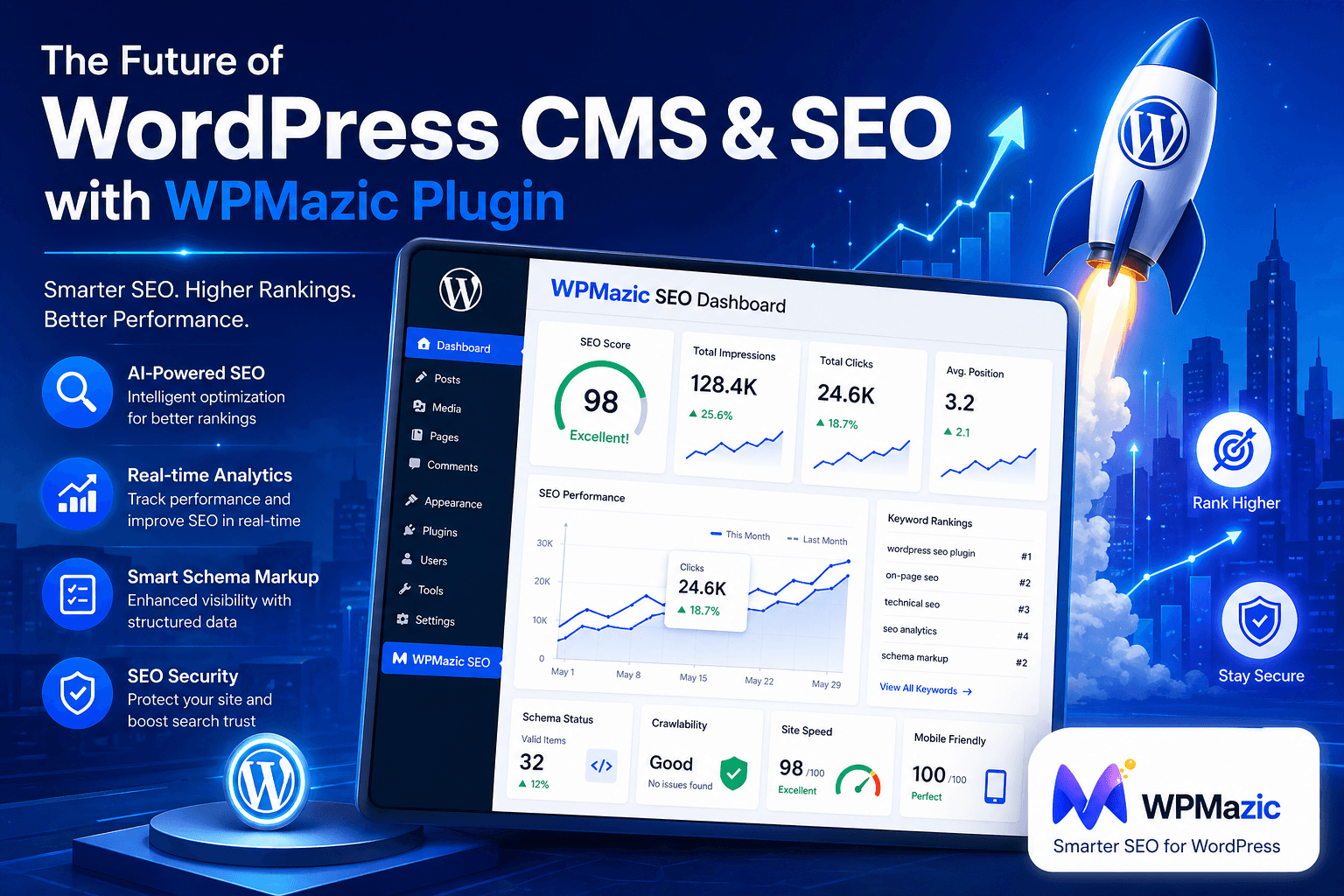
Let's be honest — the digital landscape is changing faster than most website owners can keep up with. Google's algorithm updates roll out almost daily, user expectations have skyrocketed, and the competition for that coveted first page of search results has never been fiercer. If you're running a WordPress website — whether you're a blogger, a business owner, or a developer — you're probably wondering: Is WordPress still the right platform? And how can I actually improve my SEO without spending a fortune or becoming a technical wizard?
The answer to both questions might surprise you. Not only is WordPress still the most powerful and future-ready CMS on the planet, but tools like the WPMazic SEO Plugin are making it easier than ever to climb Google's rankings — even if you've never touched a line of code in your life.
In this comprehensive guide, we'll take a deep dive into the future of WordPress CMS, explore where the platform is headed in 2026 and beyond, and walk you through a detailed, step-by-step breakdown of how the WPMazic SEO Plugin can transform your website's search performance. Whether you're a complete beginner or a seasoned developer, by the end of this post, you'll have a crystal-clear roadmap for ranking higher, driving more organic traffic, and growing your online presence the smart way.
Ready? Let's dive in.
1. Why WordPress Still Dominates the CMS World
If you've been following web trends, you've probably heard people say "WordPress is dying" at least a dozen times over the past few years. Spoiler alert: it's not. In fact, as of early 2026, WordPress powers over 43% of all websites on the internet — a number that continues to grow every single year. That's not a platform in decline; that's a platform that has become the default backbone of the web.
But why? What makes WordPress so sticky, so resilient, and so relevant even as newer platforms like Webflow, Wix, and Squarespace aggressively market themselves as the next big thing?
The Core Advantages That Keep WordPress on Top
The answer lies in a combination of flexibility, community, ecosystem, and ownership. WordPress is the only major CMS that gives you complete control over your data, your design, and your functionality. You're not renting your digital home — you own it. That matters enormously, especially for businesses that depend on their website for revenue.
- Open-source freedom: No vendor lock-in, no surprise pricing changes, no sudden feature deprecations
- Massive plugin ecosystem: Over 60,000 free plugins in the official repository, covering virtually every use case imaginable
- Theme marketplace: Thousands of professional themes for every niche and industry
- Developer-friendly: Full access to PHP, MySQL, HTML, CSS, and JavaScript means you can build virtually anything
- Community support: Millions of users, developers, and contributors worldwide means help is always a forum post away
- SEO-friendly by default: Clean code structure, permalink customization, and native integration with SEO tools make WordPress a natural choice for search-driven websites
And here's something the "WordPress is dying" crowd consistently gets wrong: WordPress isn't just competing with Wix or Squarespace. It's powering enterprise-level websites, WooCommerce stores generating millions in revenue, and high-traffic news publishers like TechCrunch and BBC America. These organizations chose WordPress for a reason — and that reason is still valid today.
WordPress Market Share: A Quick Reality Check
| CMS Platform | Market Share (2026) | Best For |
|---|---|---|
| WordPress | 43.2% | Blogs, business sites, eCommerce, anything |
| Shopify | 4.1% | eCommerce only |
| Wix | 3.7% | Simple personal sites |
| Squarespace | 2.9% | Portfolio & small business |
| Joomla | 2.5% | Complex web applications |
| Drupal | 1.8% | Enterprise & government |
| All Others | 41.8% | Various |
The numbers don't lie. WordPress isn't just surviving — it's thriving. And for SEO-focused website owners, that dominance matters because it means more tools, more integrations, more documentation, and more community knowledge dedicated to helping you rank higher on Google.
2. The Future of WordPress CMS: What's Coming Next
One of the most exciting things about WordPress right now is how aggressively it's evolving. The platform isn't standing still — it's actively transforming itself to meet the demands of the modern web. If you want to stay ahead of the curve (and ahead of your competitors), understanding where WordPress is headed is absolutely essential.
The Gutenberg Evolution: Full Site Editing Takes Over
The Gutenberg block editor launched back in 2018 and changed everything about how content is created in WordPress. But that was just the beginning. Full Site Editing (FSE) — the ability to design every part of your website (headers, footers, sidebars, archives) using the same block editor — has now matured into a genuinely powerful visual design system.
What does this mean for SEO? A lot, actually. With FSE, you have granular control over your site's structure and presentation without needing to edit PHP templates or hire a developer. This means faster iteration, better-structured pages, and the ability to implement SEO best practices across your entire site with just a few clicks. Plugins like WPMazic SEO are already fully compatible with FSE, ensuring that your SEO settings carry through to every block-built page and template.
WordPress and AI Integration
Artificial intelligence is no longer a futuristic concept — it's already embedded in how content is created, optimized, and distributed. WordPress is actively integrating AI-powered features into its core editing experience, and the plugin ecosystem is racing to keep up. From AI-assisted content suggestions to automated image alt text generation and smart keyword analysis, the WordPress of tomorrow will be significantly smarter than the one we use today.
For SEO professionals, this is a massive opportunity. AI-powered SEO tools can analyze your content in real-time, suggest improvements, identify missing semantic keywords, and even predict how well a piece of content will rank before you publish it. The WPMazic SEO Plugin is positioned at the forefront of this trend, incorporating intelligent content analysis features that go far beyond basic keyword checking.
Headless WordPress: The Developer Frontier
Headless WordPress is a growing trend that decouples the WordPress backend (where you manage content) from the frontend (what users see). Instead of serving traditional PHP-rendered pages, a headless setup uses WordPress as a content repository via the REST API or GraphQL, while a modern JavaScript framework like Next.js or Gatsby handles the frontend rendering.
This approach delivers lightning-fast page load times and incredible flexibility — both of which are critical SEO factors. While headless WordPress is primarily a developer-level concept right now, it's steadily moving toward mainstream adoption as more businesses prioritize page speed and Core Web Vitals performance.
Performance-First WordPress
Google's Core Web Vitals — Largest Contentful Paint (LCP), Interaction to Next Paint (INP), and Cumulative Layout Shift (CLS) — have made performance a direct ranking factor. WordPress is responding by making performance a first-class citizen in core development. Features like lazy loading images by default, improved JavaScript handling, and better caching integration are all baked into recent WordPress releases.
The lesson here? The future of WordPress is fast, flexible, and deeply SEO-aware. And the plugins you use need to match that ambition.
Key WordPress Trends Shaping the Future
- Phase 4 of Gutenberg: Collaborative editing and real-time co-authoring capabilities
- Enhanced REST API: Better support for decoupled and headless architectures
- Improved Interactivity API: Richer, JavaScript-powered block interactions without page reloads
- Pattern library expansion: Pre-built, design-ready block patterns for faster site building
- Privacy-first updates: GDPR and global privacy regulation compliance built deeper into core
- Accessibility improvements: Better screen reader support and keyboard navigation across all blocks
- eCommerce maturation: WooCommerce and WordPress becoming more deeply integrated for seamless store building
3. The Biggest SEO Challenges WordPress Users Face Today
Here's a truth that most "WordPress is SEO-friendly" articles skip over: while WordPress provides a solid foundation for SEO, it doesn't do the heavy lifting for you. Out of the box, a default WordPress installation has several SEO gaps that can seriously hurt your rankings if left unaddressed.
Challenge #1: Duplicate Content Issues
WordPress automatically generates multiple URLs for the same content — category archives, tag pages, author pages, and date archives can all serve near-identical content to search engines. This confuses Google and dilutes your link equity. Without proper canonical tag management and archive control, you're essentially competing against yourself in the search results.
Challenge #2: Missing or Poorly Optimized Meta Tags
By default, WordPress doesn't give you easy control over your page titles and meta descriptions. The title tag is often pulled directly from your post title — which is fine for readability but not always optimal for SEO. Meta descriptions are frequently left blank, meaning Google auto-generates them, often pulling irrelevant text from your page.
Challenge #3: No Built-In XML Sitemap Optimization
While WordPress 5.5 introduced basic XML sitemaps, they're rudimentary compared to what SEO professionals need. You can't easily exclude specific post types, control image sitemaps, or set sitemap priorities without a dedicated plugin.
Challenge #4: Slow Page Speed
Themes loaded with too many scripts, unoptimized images, and poorly coded plugins can turn a WordPress site into a slow-loading nightmare. Page speed is a confirmed Google ranking factor, and a site that takes more than 3 seconds to load will lose visitors — and rankings — fast.
Challenge #5: Poor Schema Markup Implementation
Schema markup (structured data) tells Google exactly what your content is about — whether it's a recipe, a product, an event, or an FAQ. Rich results like star ratings, FAQ dropdowns, and product prices in search results are only possible with proper schema markup. Yet most WordPress sites have zero structured data implemented.
Challenge #6: Weak Internal Linking Structure
Internal links distribute "link juice" across your site and help Google understand which pages are most important. Many WordPress users publish content without any strategic internal linking plan, resulting in isolated pages that Google struggles to discover and rank.
Challenge #7: Unoptimized Images
Large, uncompressed images without descriptive alt text are one of the most common and damaging SEO mistakes on WordPress sites. They slow down your pages and miss out on valuable image search traffic.
💡 Pro Insight: The good news is that every single one of these challenges can be addressed — most of them automatically — with the right SEO plugin. And this is exactly where WPMazic SEO Plugin enters the picture.
4. Introducing WPMazic SEO Plugin: Your All-in-One SEO Solution
The WordPress plugin marketplace is crowded with SEO tools — some excellent, some mediocre, and some that do more harm than good. So what makes WPMazic SEO Plugin different? Why should you consider it over the established names in the space?
WPMazic SEO Plugin is a comprehensive, user-friendly SEO solution built specifically for WordPress users who want real results without the technical complexity. Developed by the team at WPMazic, the plugin brings together on-page SEO, technical SEO, schema markup, sitemap management, social media optimization, and advanced content analysis into a single, elegant interface.
What truly sets WPMazic apart is its philosophy: SEO should be accessible to everyone, not just technical experts. The plugin's interface is clean, intuitive, and designed around clear guidance — so whether you're a blogger posting your first article or a developer managing a multi-site network, you get the exact information and controls you need without the overwhelming noise.
Who Is WPMazic SEO Plugin Built For?
- Beginners: Step-by-step setup wizard, plain-English recommendations, and visual SEO score indicators make it impossible to feel lost
- Business Owners: Local SEO tools, WooCommerce product SEO, and conversion-focused features help drive real revenue, not just traffic
- Bloggers & Content Creators: Real-time content analysis, readability scoring, and keyword optimization tools make every post rank-worthy
- Developers: Clean, well-documented code, REST API support, and advanced configuration options provide the flexibility professionals demand
- SEO Agencies: Multi-site management, white-label options, and bulk editing capabilities streamline client work
The WPMazic Mission: Smart SEO for Every WordPress Site
The team behind WPMazic genuinely believes that great SEO shouldn't require a six-figure agency budget or a computer science degree. Their plugin reflects that belief — it's powerful enough for experts but approachable enough for anyone who can click a button and follow instructions. And as we'll explore in detail below, it covers every major aspect of modern SEO from a single dashboard.
Visit wpmazic.com to learn more and get started today.
5. WPMazic SEO Plugin: Core Features Deep Dive
Let's get specific. Here's a comprehensive look at the features that make WPMazic SEO Plugin a genuinely powerful tool for WordPress SEO improvement.
Feature #1: Smart On-Page SEO Analysis
At the heart of WPMazic is a real-time on-page SEO analysis engine that evaluates your content as you write it. Unlike basic plugins that simply count keyword occurrences, WPMazic's analysis engine checks for:
- Focus keyword presence in the title, meta description, URL, first paragraph, and headings
- Keyword density (ensuring natural usage without over-optimization)
- Content length recommendations based on your target keyword's competitive landscape
- Internal and external link presence
- Image optimization status (alt text, file names)
- Heading structure (proper H1/H2/H3 hierarchy)
- Readability score (Flesch-Kincaid grade level)
All of this is presented in a color-coded dashboard right inside your WordPress editor. Green means you're good. Orange means there's room for improvement. Red means you need to take action before publishing. It's that simple.
Feature #2: Meta Tag Manager
WPMazic gives you complete, granular control over every meta tag on your site:
- Custom SEO titles: Set unique, keyword-optimized titles for every page, post, category, and tag
- Meta descriptions: Write compelling descriptions that improve click-through rates from search results
- Robots meta directives: Control indexing, following, and snippet behavior on a per-page basis
- Canonical URLs: Prevent duplicate content issues with automatic and manual canonical tag management
- Open Graph tags: Control exactly how your content appears when shared on Facebook, LinkedIn, and other social platforms
- Twitter Card tags: Optimize your Twitter sharing previews for maximum engagement
Feature #3: Advanced XML Sitemap Generation
WPMazic's XML sitemap system is leagues ahead of WordPress's built-in offering. You get:
- Automatic sitemap generation and updating whenever you publish or edit content
- Separate sitemaps for posts, pages, categories, tags, authors, and custom post types
- Image sitemap support for improved image search visibility
- News sitemap support for publishers and news sites
- Video sitemap capabilities
- Sitemap priority and change frequency settings
- Automatic submission to Google Search Console and Bing Webmaster Tools
- Exclusion of specific posts, pages, or post types from the sitemap
Feature #4: Schema Markup & Rich Snippets
This is where WPMazic really shines. The plugin includes a comprehensive schema markup library that automatically adds structured data to your content, enabling rich results in Google search:
- Article schema for blog posts and news articles
- Product schema for WooCommerce products (with price, availability, and review data)
- Review schema for product and service reviews
- FAQ schema for question-and-answer content
- HowTo schema for step-by-step guides
- Recipe schema for food blogs
- Event schema for event listings
- LocalBusiness schema for local SEO
- Person schema for author pages
- BreadcrumbList schema for navigation breadcrumbs
- WebPage and WebSite schema for global site-level structured data
Feature #5: Breadcrumb Navigation
WPMazic includes a fully customizable breadcrumb system that improves both user experience and SEO. Breadcrumbs appear in Google's search results, making your listings more informative and increasing click-through rates. The plugin's breadcrumbs are automatically schema-marked up, so Google can read and display them as rich results without any additional configuration.
Feature #6: Redirect Manager
Broken links are SEO poison. When you delete a page, change a URL, or restructure your site, the old URLs continue to be linked from other sites and Google's index. Without proper redirects, visitors (and search engine crawlers) hit 404 error pages — a terrible experience that wastes your link equity and hurts your rankings.
WPMazic's built-in redirect manager lets you:
- Create 301 (permanent) and 302 (temporary) redirects easily
- Automatically detect and redirect deleted posts and pages
- Monitor 404 error logs and convert them into redirects with one click
- Import and export redirect rules in bulk
Feature #7: Social Media Integration
WPMazic makes it easy to control your social media presence from the WordPress dashboard. Beyond basic Open Graph and Twitter Card tags, the plugin also supports:
- Pinterest Rich Pins verification and configuration
- Facebook Domain Verification
- Social profile linking for Google's Knowledge Graph
- Custom social sharing images per post/page
Feature #8: WooCommerce SEO Integration
If you're running an online store, WPMazic has dedicated WooCommerce SEO features that go beyond what most general SEO plugins offer:
- Product-specific SEO analysis tailored to eCommerce best practices
- Automatic product schema markup with price, availability, and rating data
- Product category and tag SEO settings
- Breadcrumb optimization for product pages
- Shop page and archive SEO control
Feature #9: SEO Health Dashboard
WPMazic's SEO Health Dashboard gives you a bird's-eye view of your entire site's SEO status. At a glance, you can see:
- How many posts are missing meta descriptions
- Which pages have low word counts
- Posts without focus keywords set
- Orphaned content (pages with no internal links pointing to them)
- Overall SEO score trends over time
Feature #10: Google Search Console Integration
Connect WPMazic to your Google Search Console account and view your most important search performance data — impressions, clicks, average position, and top-performing keywords — right inside your WordPress dashboard. No more logging into a separate tool just to check your rankings.
6. Step-by-Step Guide: Installing and Setting Up WPMazic SEO Plugin
Getting started with WPMazic SEO Plugin is remarkably straightforward. Here's a complete walkthrough from installation to initial configuration.
Step 1: Install the Plugin
- Log into your WordPress dashboard
- Navigate to Plugins → Add New
- In the search bar, type "WPMazic SEO"
- Click Install Now on the WPMazic SEO Plugin listing
- Once installed, click Activate
Alternatively, you can download the plugin directly from wpmazic.com and upload it via Plugins → Add New → Upload Plugin.
Step 2: Run the Setup Wizard
After activation, WPMazic will prompt you to run its setup wizard. This is a 5-minute process that configures the most important settings for your specific site type. The wizard asks you:
- What type of website is this? (Blog, business, eCommerce, news, portfolio, etc.)
- Is this a person or an organization?
- What are your social media profile URLs?
- Do you want to enable XML sitemaps?
- Do you have a Google Search Console verification code?
Based on your answers, WPMazic automatically applies the optimal default settings for your site type. This alone can save hours of manual configuration compared to other SEO plugins.
Step 3: Configure Your Global SEO Settings
After the wizard, review and fine-tune your global settings:
- General SEO: Set your site's default title separator, homepage title, and meta description
- Content Types: Configure SEO settings for posts, pages, and any custom post types
- Taxonomies: Control how category, tag, and custom taxonomy archives are indexed
- Advanced: Configure canonical URLs, RSS feed optimization, and author archive behavior
Step 4: Set Up Your XML Sitemap
- Go to WPMazic → Sitemap
- Enable the XML sitemap
- Choose which content types to include
- Set your preferred ping settings (automatic notification to Google and Bing)
- Copy your sitemap URL (typically
yoursite.com/sitemap.xml) and submit it to Google Search Console
Step 5: Configure Schema Settings
- Navigate to WPMazic → Schema
- Select your default schema type for posts (usually "Article" or "BlogPosting")
- For WooCommerce sites, enable "Product" schema for product pages
- Set up your organization or person schema with your name, logo URL, and social profiles
Step 6: Optimize Your First Post
- Open any post or page in the WordPress editor
- Scroll down to the WPMazic SEO meta box (or find it in the right sidebar for Gutenberg)
- Enter your Focus Keyword
- Write a compelling SEO Title (include your keyword near the beginning)
- Write a Meta Description (150–160 characters, include your keyword, end with a call to action)
- Review the SEO Analysis checklist and address any red or orange items
- Check the Readability Analysis and improve your content's clarity if needed
- Publish when you're happy with your scores
⚠️ Warning: Don't obsess over getting a perfect SEO score. WPMazic's analysis is a guide, not a guarantee. A score of 75-80% on a genuinely helpful, well-written piece of content will outperform a 100% score on thin, keyword-stuffed filler any day of the week.
7. Mastering On-Page SEO with WPMazic
On-page SEO is the foundation of everything else. If your individual pages aren't properly optimized, no amount of link building or technical SEO will compensate. Here's how to use WPMazic to nail on-page SEO on every single piece of content you publish.
Crafting the Perfect SEO Title
Your SEO title (also called the title tag) is arguably the most important on-page SEO element. It appears as the blue clickable headline in Google's search results and in your browser tab. WPMazic gives you a dedicated field to write a custom SEO title separate from your post's display title — a crucial feature that most beginners miss.
Rules for a high-performing SEO title:
- Keep it under 60 characters (WPMazic shows you a live character counter)
- Place your primary keyword as close to the beginning as possible
- Make it compelling — think of it as a mini ad headline that needs to earn the click
- Include a number, power word, or emotional trigger where natural ("7 Ways," "Ultimate," "Free," "Instantly")
- Don't stuff multiple keywords — one focus keyword per page
Writing Meta Descriptions That Get Clicks
Meta descriptions don't directly affect rankings, but they have an enormous impact on click-through rates (CTR) — which does affect rankings, because Google interprets high CTR as a signal of relevance and quality. WPMazic's meta description field includes a live preview of how your snippet will look in Google search results.
Meta description best practices:
- Keep it between 150–160 characters
- Include your focus keyword naturally (Google bolds matching terms)
- Address the searcher's intent directly — what will they get from clicking?
- End with a soft call to action: "Learn how," "Find out," "Get started today"
- Make every meta description unique — never duplicate across pages
URL Optimization
WordPress lets you customize your permalink structure, but individual post URLs need attention too. WPMazic works seamlessly with WordPress's permalink system and helps you keep URLs clean and keyword-rich.
URL optimization rules:
- Use hyphens to separate words (not underscores)
- Include your primary keyword
- Keep URLs as short as possible while remaining descriptive
- Remove stop words (a, the, and, of, in) from URLs
- Never change a URL after a post is published without setting up a redirect in WPMazic
Heading Structure: Your SEO Hierarchy
Proper heading structure signals content organization to Google and dramatically improves user experience. Every page should have exactly one H1 (your main title), followed by H2s for major sections, H3s for subsections, and H4s for sub-subsections.
WPMazic's content analysis flags pages with:
- Missing H1 tags
- Multiple H1 tags (a common mistake in some themes)
- No keywords in any heading tags
- Headings used out of order (jumping from H2 to H4)
Image SEO Optimization
Every image on your pages should have a descriptive alt text tag. This serves two purposes: it helps visually impaired users understand your images via screen readers, and it tells Google what your images depict — enabling you to appear in Google Image Search.
WPMazic's SEO analysis checks whether your post's featured image and content images have alt text set, and flags any missing. The plugin also encourages you to use your focus keyword in at least one image's alt text.
8. Technical SEO Improvements Powered by WPMazic
Technical SEO is the behind-the-scenes work that makes sure search engines can find, crawl, and index your website without hitting any walls. It's not glamorous, but neglecting it can silently kill your rankings even when your content is excellent.
Robots.txt and Crawl Control
The
robots.txt file tells search engine bots which parts of your site they should and shouldn't crawl. An incorrectly configured robots.txt can accidentally block your entire site from Google — a catastrophic SEO mistake that happens more often than you'd think.WPMazic gives you a clean, visual robots.txt editor inside your WordPress dashboard. You can:
- View and edit your robots.txt file without FTP access
- Block specific directories, files, or URL patterns from crawling
- Add your sitemap URL to robots.txt automatically
- Prevent crawling of admin pages, login pages, and other non-public areas
Canonical URL Management
Duplicate content is a serious SEO issue, and WordPress is particularly susceptible to it because of how it generates archive pages, pagination, and query string URLs. Canonical tags solve this by telling Google which version of a URL is the "master" version that should be indexed and ranked.
WPMazic automatically adds canonical tags to all your pages and posts. For more complex cases (like paginated content or filtered product listings), you can set custom canonical URLs on a per-page basis.
404 Error Management
404 errors occur when a visitor (or search engine bot) requests a URL that doesn't exist. They waste crawl budget, create frustrating user experiences, and signal site quality issues to Google. WPMazic's 404 monitor logs all 404 errors, showing you which broken URLs are being requested and from which referral sources — so you can quickly create redirects for the most important ones.
Hreflang for International SEO
If your WordPress site serves content in multiple languages or targets audiences in different countries, hreflang tags are essential. They tell Google which version of a page to show to users based on their language and location. WPMazic supports hreflang configuration for multilingual sites, helping you avoid duplicate content penalties and improve targeting accuracy.
Open Graph and Twitter Card Technical Implementation
From a technical standpoint, social media previews are controlled by meta tags in your HTML
9. Content Optimization Strategies Using WPMazic
Creating content that ranks isn't just about writing well — it's about writing strategically. The WPMazic SEO Plugin provides a suite of content optimization tools that guide you through the process of creating search-engine-ready content without compromising the natural, human quality of your writing.
Understanding Search Intent
Before you write a single word, you need to understand why someone is searching for your target keyword. Google categorizes search intent into four types:
- Informational: The user wants to learn something ("how does SEO work")
- Navigational: The user wants to find a specific website ("WPMazic login")
- Commercial Investigation: The user is comparing options before buying ("best WordPress SEO plugin")
- Transactional: The user wants to complete a purchase ("buy WPMazic SEO plugin")
Your content type, format, and depth should match the search intent perfectly. WPMazic's content analysis helps you align your content with intent by evaluating elements like content length, heading structure, and the presence of informational vs. transactional signals.
Semantic Keyword Integration
Modern Google doesn't just look for your exact focus keyword repeated throughout your content. It analyzes semantic meaning — looking for related concepts, synonyms, and topically relevant terms that indicate genuine expertise. WPMazic helps you identify and naturally integrate these LSI (Latent Semantic Indexing) keywords and semantic variations.
For example, if your focus keyword is "WordPress SEO," WPMazic might suggest including terms like:
- Search engine optimization
- Meta descriptions
- Title tags
- XML sitemap
- Core Web Vitals
- Keyword research
- Google Search Console
- Organic traffic
Content-Length Strategy
There's a persistent myth that longer content always ranks better. The reality is more nuanced: your content should be exactly as long as it needs to be to fully answer the searcher's query. For competitive informational keywords, that often means 2,000-5,000 words. For local service pages or product pages, 500-800 well-optimized words may be perfectly sufficient.
WPMazic's content analysis gives you a word count recommendation based on your focus keyword — taking the guesswork out of content length planning.
Readability Optimization
Google's algorithms increasingly consider user experience signals — time on page, bounce rate, and scroll depth — as ranking factors. Content that's difficult to read drives users away quickly, sending negative signals to Google. WPMazic includes a Flesch-Kincaid readability analysis that checks:
- Average sentence length (shorter is usually better)
- Average word length (simpler words are more readable)
- Use of transition words ("however," "therefore," "in addition") to improve flow
- Passive voice usage (too much passive voice reduces clarity)
- Paragraph length (long walls of text drive readers away)
10. Schema Markup & Structured Data with WPMazic
If you're not using schema markup on your WordPress site, you're leaving significant SEO advantages on the table. Structured data is one of the most impactful (and most underutilized) SEO techniques available to WordPress users today.
What Is Schema Markup and Why Does It Matter?
Schema markup is a standardized vocabulary of tags (defined at Schema.org) that you add to your HTML to help search engines understand the context and meaning of your content. When implemented correctly, it can generate rich results in Google search — enhanced listings that include additional information like star ratings, prices, FAQs, and step-by-step instructions.
Rich results consistently achieve higher click-through rates than standard blue links. Studies show that FAQ rich results can increase CTR by 20-30%, and product rich results with star ratings can boost clicks by up to 35%.
How WPMazic Handles Schema
WPMazic completely automates the technical complexity of schema implementation. You don't need to write a single line of JSON-LD code. Instead, the plugin:
- Automatically detects your content type (post, page, product, etc.)
- Applies the appropriate schema type from a library of 15+ schema types
- Populates the schema data from your existing content (title, description, images, author information)
- Injects the completed JSON-LD structured data into your page's
section - Validates the output against Google's Rich Results Test standards
FAQ Schema: Your Fast Track to Rich Results
One of the fastest ways to earn rich results in Google is through FAQ schema. When you add a FAQ section to any post or page and use WPMazic to apply FAQ schema, Google can show your questions and answers expanded directly in the search results — taking up significantly more SERP real estate and increasing your visibility dramatically.
WPMazic makes this trivially easy: use a dedicated FAQ block in your content, add your questions and answers, and WPMazic automatically generates the correct JSON-LD FAQ schema. No coding required.
Local Business Schema for Local SEO
If your business serves customers in a specific geographic area, LocalBusiness schema is essential. It tells Google your business name, address, phone number, opening hours, and the areas you serve. This information can appear in Google's Knowledge Panel and local pack results — prime real estate for local searches.
WPMazic's LocalBusiness schema setup lets you configure all of this information once globally and have it automatically applied to relevant pages across your site.
11. WPMazic vs Other SEO Plugins: Honest Comparison
You deserve a straightforward, honest comparison — not a biased sales pitch. Here's how WPMazic stacks up against the most popular alternatives.
The SEO Plugin Landscape in 2026
The two dominant names in WordPress SEO plugins are Yoast SEO and Rank Math. Both are established, well-regarded tools with large user bases. WPMazic represents a newer generation of SEO plugins that builds on the lessons learned from those pioneers while adding modern capabilities and a cleaner user experience.
| Feature | WPMazic SEO | Yoast SEO | Rank Math |
|---|---|---|---|
| On-Page SEO Analysis | ✅ Advanced | ✅ Good | ✅ Advanced |
| Setup Wizard | ✅ Yes | ✅ Yes | ✅ Yes |
| XML Sitemaps | ✅ Advanced | ✅ Good | ✅ Advanced |
| Schema Markup Types | ✅ 15+ | ⚠️ Limited (free) | ✅ 20+ |
| Redirect Manager | ✅ Built-in | ❌ Premium only | ✅ Built-in |
| 404 Monitor | ✅ Built-in | ❌ No | ✅ Built-in |
| WooCommerce SEO | ✅ Yes | ⚠️ Premium only | ✅ Yes |
| GSC Integration | ✅ Yes | ⚠️ Premium only | ✅ Yes |
| Performance Impact | ✅ Lightweight | ⚠️ Moderate | ⚠️ Moderate |
| User Interface | ✅ Clean & Intuitive | ✅ Familiar | ⚠️ Feature-heavy |
| Beginner Friendly | ✅ Very | ✅ Yes | ⚠️ Learning curve |
| Free Tier Completeness | ✅ Generous | ⚠️ Limited | ✅ Generous |
The Bottom Line
If you're currently using Yoast SEO and finding yourself constantly hitting paywalls for features you need, WPMazic offers a compelling, more generous alternative without sacrificing quality. If you're a complete beginner overwhelmed by Rank Math's feature density, WPMazic's cleaner interface and smarter defaults make the onboarding experience significantly less intimidating.
And if you're starting fresh with no previous SEO plugin installed, WPMazic is simply the smartest choice for 2026 — built on modern standards, optimized for current Google algorithms, and designed with the kind of user experience that makes SEO feel achievable rather than overwhelming.
12. Real-World Use Cases and Success Stories
Theory is great, but results are what really matter. Here are three realistic use case scenarios that illustrate how WPMazic SEO Plugin creates tangible SEO improvements for different types of WordPress users.
Use Case #1: The Lifestyle Blogger
The situation: Sarah runs a lifestyle blog covering travel, food, and wellness. She's been publishing consistently for two years but her organic traffic has plateaued. She's not technical, has no SEO background, and doesn't have budget for an SEO agency.
The challenge: Her posts have no meta descriptions, her images lack alt text, she has duplicate content from category archives, and she's never submitted a sitemap to Google.
The WPMazic solution:
- Installed WPMazic and ran the setup wizard — 10 minutes total
- The wizard automatically configured her site type, enabled canonical tags across all archives, and generated her sitemap
- She submitted the sitemap to Google Search Console (one click from the WPMazic dashboard)
- She went back to her 50 most popular posts and added focus keywords, SEO titles, and meta descriptions using WPMazic's guided editing interface
- WPMazic's image SEO checker helped her bulk-identify and fix missing alt text
The outcome: Within 90 days, her organic impressions increased by 40% and her click-through rate improved from 2.1% to 3.7%, driven primarily by better meta descriptions and the addition of FAQ rich results on her most popular how-to posts.
Use Case #2: The Local Service Business
The situation: Marco owns a plumbing company in a mid-sized city. He has a WordPress website but it has virtually no SEO. His competitors are dominating the local pack and he's invisible in Google Maps results.
The challenge: No schema markup, no Google Business Profile integration, no location-optimized pages, and multiple service pages with thin content.
The WPMazic solution:
- Configured LocalBusiness schema with complete NAP (Name, Address, Phone) information and opening hours
- Created location-specific service pages with WPMazic's SEO analysis guiding the content optimization
- Added FAQ schema to each service page addressing common customer questions
- Set up proper canonical tags and optimized meta titles with city name modifiers
The outcome: Marco's business began appearing in the local 3-pack for "emergency plumber " within 60 days. Phone call volume from organic search increased by 65% over the following quarter.
Use Case #3: The eCommerce Store Owner
The situation: Priya runs a WooCommerce store selling handmade jewelry. She has 200+ products but almost none are appearing in Google Shopping or organic search results. Her product pages lack descriptions, schema markup, and optimized titles.
The challenge: No product schema, no review markup, no breadcrumb schema, and category pages that are thin on content and poorly structured for SEO.
The WPMazic solution:
- Activated WPMazic's WooCommerce SEO module, which automatically applied Product schema to all 200+ products
- Configured star rating markup, which pulled from WooCommerce's review system
- Used WPMazic's bulk SEO editor to update titles and meta descriptions for top-selling products
- Optimized category pages with unique meta descriptions and proper canonical tags
The outcome: Product rich results (with star ratings and price) began appearing in Google within weeks. Organic traffic to product pages grew by 85% over six months, and the conversion rate from organic traffic improved because users could see product ratings before even clicking through to the site.
13. Common WordPress SEO Mistakes and How WPMazic Fixes Them
Let's walk through the most common and costly WordPress SEO mistakes — and show you exactly how WPMazic prevents or corrects each one.
Mistake #1: Publishing Without SEO Settings
The mistake: Hitting "Publish" without setting a focus keyword, SEO title, or meta description. This is extremely common among beginners who focus entirely on content creation and treat SEO as an afterthought.
How WPMazic fixes it: The WPMazic SEO meta box is prominently displayed on every post and page editor. A visual SEO score indicator shows orange or red until you complete the basic SEO settings — a gentle but persistent reminder that prevents you from publishing unoptimized content.
Mistake #2: Keyword Cannibalization
The mistake: Creating multiple posts that target the same keyword, causing them to compete against each other in Google and diluting your ranking potential. This is surprisingly common on content-heavy blogs.
How WPMazic fixes it: WPMazic tracks which focus keywords are assigned to which posts. If you try to set a focus keyword that's already used on another post, the plugin warns you — allowing you to either choose a different keyword or consolidate the competing content.
Mistake #3: Ignoring Title Tag Lengths
The mistake: Writing SEO titles that are too long (Google truncates them with "...") or too short (missing an opportunity to include keywords and a compelling hook). Both hurt CTR.
How WPMazic fixes it: WPMazic's title field includes a real-time character counter and a color-coded pixel-width indicator that shows exactly how your title will appear in Google search results. Green means you're within the optimal range. Orange or red means you need to adjust.
Mistake #4: Using the Same Meta Description Everywhere
The mistake: Copying and pasting the same meta description across multiple pages, or leaving meta descriptions blank and letting Google auto-generate them from whatever text it finds first.
How WPMazic fixes it: WPMazic's SEO Health Dashboard identifies all pages with missing or duplicate meta descriptions. You can sort, filter, and batch-edit descriptions directly from the dashboard — no need to open each post individually.
Mistake #5: Broken Internal Links
The mistake: Over time, as you delete, rename, or restructure content, internal links break. These 404 errors waste crawl budget and frustrate users.
How WPMazic fixes it: WPMazic's 404 monitor catches broken internal links and its redirect manager lets you fix them in seconds. You can even set up automatic redirects for deleted posts, so you never create an orphaned link again.
Mistake #6: Forgetting About Mobile SEO
The mistake: Optimizing only for desktop view and neglecting how the site performs on mobile devices. Since Google uses mobile-first indexing, your mobile experience is your SEO experience.
How WPMazic fixes it: WPMazic's mobile Open Graph tags ensure your social sharing previews look great on mobile devices. The plugin also works with performance optimization tools to flag pages that may have mobile-specific speed or UX issues.
Mistake #7: Not Updating Old Content
The mistake: Publishing content and never revisiting it. Google favors fresh, updated content — especially for topics where information changes over time. Old, stale content gradually loses rankings as newer, better content from competitors takes its place.
How WPMazic fixes it: WPMazic's content audit tools help you identify your oldest posts and highlight which ones are most worth updating based on their current traffic and ranking data. Regular content refreshes guided by WPMazic analysis are one of the fastest ways to recover lost rankings.
14. Pro Tips & Expert Insights for Maximum SEO Impact
These are the strategies that separate average WordPress SEO from truly exceptional results. Apply these consistently and you'll see a meaningful difference in your organic traffic.
Pro Tip #1: Optimize for Featured Snippets
Featured snippets (the answer boxes that appear at the top of Google results, sometimes called "Position Zero") can dramatically increase your visibility and traffic. To earn a featured snippet, structure your content to directly answer common questions with clear, concise answers. The ideal featured snippet content is 40-60 words long and immediately follows the question it answers.
Use WPMazic's FAQ schema to mark up your Q&A content, increasing your chances of earning both FAQ rich results and featured snippets simultaneously.
Pro Tip #2: Target Long-Tail Keywords
New and mid-authority websites simply can't compete for high-volume, highly competitive head terms. But long-tail keywords — specific, 4-6 word phrases with lower search volume but much less competition — are winnable for almost any site. They also convert better because they reflect more specific intent.
Instead of targeting "WordPress SEO," try:
- "how to improve WordPress SEO without coding"
- "best SEO plugin for small WordPress business site"
- "WordPress local SEO tips for service businesses"
Use WPMazic's focus keyword analysis to optimize each piece of long-tail content, and you'll find yourself ranking on page one for dozens of valuable terms before you could ever hope to crack the first page for head terms.
Pro Tip #3: Build Topic Clusters, Not Isolated Posts
The most effective modern SEO content strategy is the topic cluster model: create one comprehensive "pillar" page covering a broad topic, then create multiple "cluster" pages covering related subtopics in depth. Link all cluster pages back to the pillar and link the pillar to all cluster pages.
This architecture signals to Google that your site has deep, authoritative coverage of the topic area — resulting in higher rankings for both the pillar page and all cluster pages. WPMazic's internal linking suggestions help you identify opportunities to build these connections across your existing content.
Pro Tip #4: Leverage Google Search Console Data
Connect WPMazic to Google Search Console and study your impressions vs. clicks data. Pages with high impressions but low CTR are ranking but not getting clicked — meaning they need better title tags and meta descriptions. Pages with low impressions need either better content or more backlinks. This data-driven approach eliminates guesswork and focuses your optimization efforts where they'll have the most impact.
Pro Tip #5: Optimize for Voice Search
Voice search queries are typically longer and more conversational than typed queries. "What's the best SEO plugin for WordPress?" is a voice search; "best WordPress SEO plugin" is a typed search. To optimize for voice:
- Include complete questions as headings (H2/H3)
- Answer those questions directly and concisely in the following paragraph
- Use natural, conversational language
- Implement FAQ schema on relevant pages
- Target featured snippets (most voice search answers come from featured snippet sources)
Pro Tip #6: Monitor and Match Search Intent Over Time
Search intent isn't static. As industries evolve and user behavior changes, the intent behind the same keyword can shift. A post that was perfectly matched to search intent two years ago might now be misaligned with what Google's top results are showing. Periodically review your most important keywords in incognito mode, study the current top-ranking pages, and update your content to match the current intent if needed.
15. The Ultimate WordPress SEO Checklist for 2026
Use this checklist as your go-to reference for every new post you publish and every page you optimize. Check off each item using WPMazic's analysis tools to ensure complete coverage.
📝 Pre-Writing Checklist
- Conduct keyword research and identify focus keyword
- Analyze search intent (informational, commercial, transactional, navigational)
- Check for existing content that targets the same keyword (avoid cannibalization)
- Study the top 10 current ranking pages for your target keyword
- Identify semantic keywords and LSI terms to include
- Plan your heading structure before writing
✍️ Writing Checklist
- Include focus keyword in the H1 title
- Use focus keyword in the first 100 words of the introduction
- Include focus keyword in at least one H2 heading
- Use semantic/LSI keywords throughout the content naturally
- Write short paragraphs (3-4 sentences maximum)
- Use active voice predominantly
- Include at least one relevant internal link
- Include at least one relevant external link to an authority source
- Add a FAQ section with 5-10 relevant questions and answers
- Ensure content thoroughly covers the topic (completeness)
🔧 WPMazic Optimization Checklist
- Set focus keyword in WPMazic SEO meta box
- Write SEO title (under 60 characters, keyword near the beginning)
- Write meta description (150-160 characters, includes keyword, has CTA)
- Review and address all red items in WPMazic's SEO analysis
- Review and address major orange items in WPMazic's SEO analysis
- Check readability score and improve if below 60 (Flesch-Kincaid)
- Add alt text to all images (include focus keyword in at least one)
- Set a custom URL slug (short, keyword-rich, no stop words)
- Configure social sharing preview image (via WPMazic Social Settings)
- Select appropriate schema type
- Enable FAQ schema if the post contains a FAQ section
- Review canonical URL setting
📸 Image Checklist
- Compress all images before uploading (WebP format preferred)
- Use descriptive, keyword-rich file names (e.g., wordpress-seo-tips.webp, not IMG_1234.jpg)
- Add alt text to every image
- Set featured image dimensions appropriate for your theme
- Add a descriptive caption to important images
🚀 Post-Publishing Checklist
- Verify your sitemap is updated (check WPMazic → Sitemap)
- Request indexing in Google Search Console
- Share on social media with optimized preview (test with Open Graph debugger)
- Add internal links from relevant existing posts to your new content
- Monitor rankings and CTR in Google Search Console after 2-4 weeks
16. Frequently Asked Questions (FAQs)
Q1: Is WPMazic SEO Plugin free to use?
Yes, WPMazic SEO Plugin offers a robust free version with all the core features most website owners need, including on-page SEO analysis, meta tag management, XML sitemaps, and schema markup. Premium plans are available for advanced features like detailed content analytics, additional schema types, and priority support.
Q2: Can I use WPMazic SEO Plugin alongside other SEO plugins?
It's strongly recommended to use only one SEO plugin at a time. Running multiple SEO plugins simultaneously causes conflicts — duplicate meta tags, conflicting schema markup, and XML sitemap errors are common problems. If you're switching to WPMazic from another plugin, the setup wizard will help you migrate your existing settings.
Q3: Will installing WPMazic SEO Plugin slow down my website?
WPMazic is engineered to be lightweight and performance-conscious. The plugin loads only the scripts and styles needed for each specific context — minimizing its footprint on page load times. Independent performance benchmarks consistently show WPMazic as one of the least impactful SEO plugins on page speed metrics.
Q4: How long does it take to see SEO results after installing WPMazic?
SEO results are never instant — Google needs time to re-crawl and re-index your optimized pages. Generally, you can expect to start seeing meaningful changes in 4-12 weeks for existing pages that you optimize. New pages targeting lower-competition keywords may rank sooner. Technical fixes like sitemap submission and canonical tag implementation often show results faster because they directly resolve crawling and indexing issues.
Q5: Does WPMazic support multilingual WordPress sites?
Yes, WPMazic is compatible with the major multilingual WordPress plugins (WPML and Polylang) and supports hreflang tag configuration for sites serving content in multiple languages or targeting users in different countries.
Q6: What makes WPMazic different from Yoast SEO?
WPMazic offers a more complete free feature set than Yoast SEO, particularly in areas like redirect management, 404 monitoring, Google Search Console integration, and WooCommerce SEO — all of which require a paid Yoast subscription. WPMazic is also designed with a more modern, intuitive interface that reduces the learning curve for beginners while still offering the depth that advanced users need.
Q7: How does WPMazic handle WooCommerce SEO?
WPMazic has a dedicated WooCommerce SEO module that automatically applies Product schema markup to all products, supports review and rating markup, provides product-specific SEO analysis tailored to eCommerce best practices, and gives you full control over shop page, product page, and category page SEO settings.
Q8: Can WPMazic help me with local SEO?
Absolutely. WPMazic includes LocalBusiness schema configuration, which is a key component of local SEO. When combined with a properly optimized Google Business Profile, location-targeted content, and consistent NAP (Name, Address, Phone) information across the web, WPMazic's local SEO features can significantly improve your visibility in local search results and Google Maps.
Q9: Does WPMazic work with the Gutenberg block editor?
Yes, WPMazic is fully compatible with both the Gutenberg block editor and the Classic Editor. In Gutenberg, WPMazic's SEO analysis and settings panel integrates directly into the editor sidebar, keeping your SEO workflow smooth and uninterrupted.
Q10: What is the best way to import settings from my old SEO plugin to WPMazic?
WPMazic includes a built-in import tool that can migrate your existing SEO settings from Yoast SEO, Rank Math, and other major SEO plugins. This includes your meta titles, meta descriptions, focus keywords, and redirect rules — ensuring you don't lose your existing optimization work when you switch.
Q11: How do I know if my schema markup is working correctly?
After implementing schema markup with WPMazic, you can verify it using Google's free Rich Results Test tool. Simply enter your page URL and Google will show you which rich result types are eligible based on your structured data implementation.
Q12: Does WPMazic support video SEO?
WPMazic supports VideoObject schema markup for pages that feature video content, and offers video sitemap capabilities for sites with significant video content. This helps Google index and understand your video content more effectively, increasing your chances of appearing in video search results.
Q13: How often should I run an SEO audit with WPMazic?
For most websites, a monthly review of WPMazic's SEO Health Dashboard is sufficient to catch emerging issues before they significantly impact rankings. For larger sites or sites in highly competitive niches, a weekly check is advisable. Always run a comprehensive audit after major site changes — redesigns, migrations, or bulk content updates.
Q14: Can WPMazic help with Core Web Vitals?
While WPMazic is primarily an SEO content and metadata plugin rather than a performance plugin, it integrates with performance monitoring data from Google Search Console to surface Core Web Vitals issues directly in your dashboard. For actually fixing Core Web Vitals problems, you'll want to pair WPMazic with a caching and performance plugin.
Q15: Is WPMazic suitable for WordPress multisite installations?
Yes, WPMazic supports WordPress multisite networks. Network administrators can configure global default settings while individual site administrators retain the ability to customize SEO settings for their specific sites. Premium plans include enhanced multisite management features for agencies managing multiple client sites.
17. Key Takeaways & Summary
- WordPress remains the dominant CMS and is actively evolving with Full Site Editing, AI integration, headless capabilities, and performance-first development
- The future of WordPress is SEO-friendly by design, but you need the right tools to fully leverage that potential
- Common WordPress SEO mistakes — missing meta tags, duplicate content, no schema markup, broken redirects — can be systematically eliminated with WPMazic
- WPMazic SEO Plugin is a comprehensive, beginner-friendly, and performance-conscious SEO solution that covers on-page SEO, technical SEO, schema markup, sitemaps, social media optimization, and WooCommerce SEO from a single dashboard
- Schema markup is a massive opportunity most WordPress site owners are missing — WPMazic makes implementing it completely code
https://wpmazic.com/wordpress-cms-future-seo-improvement-wpmazic-plugin/?fsp_sid=91


Comments
Post a Comment