How I Grew SEO Traffic 120% With AI Automation?
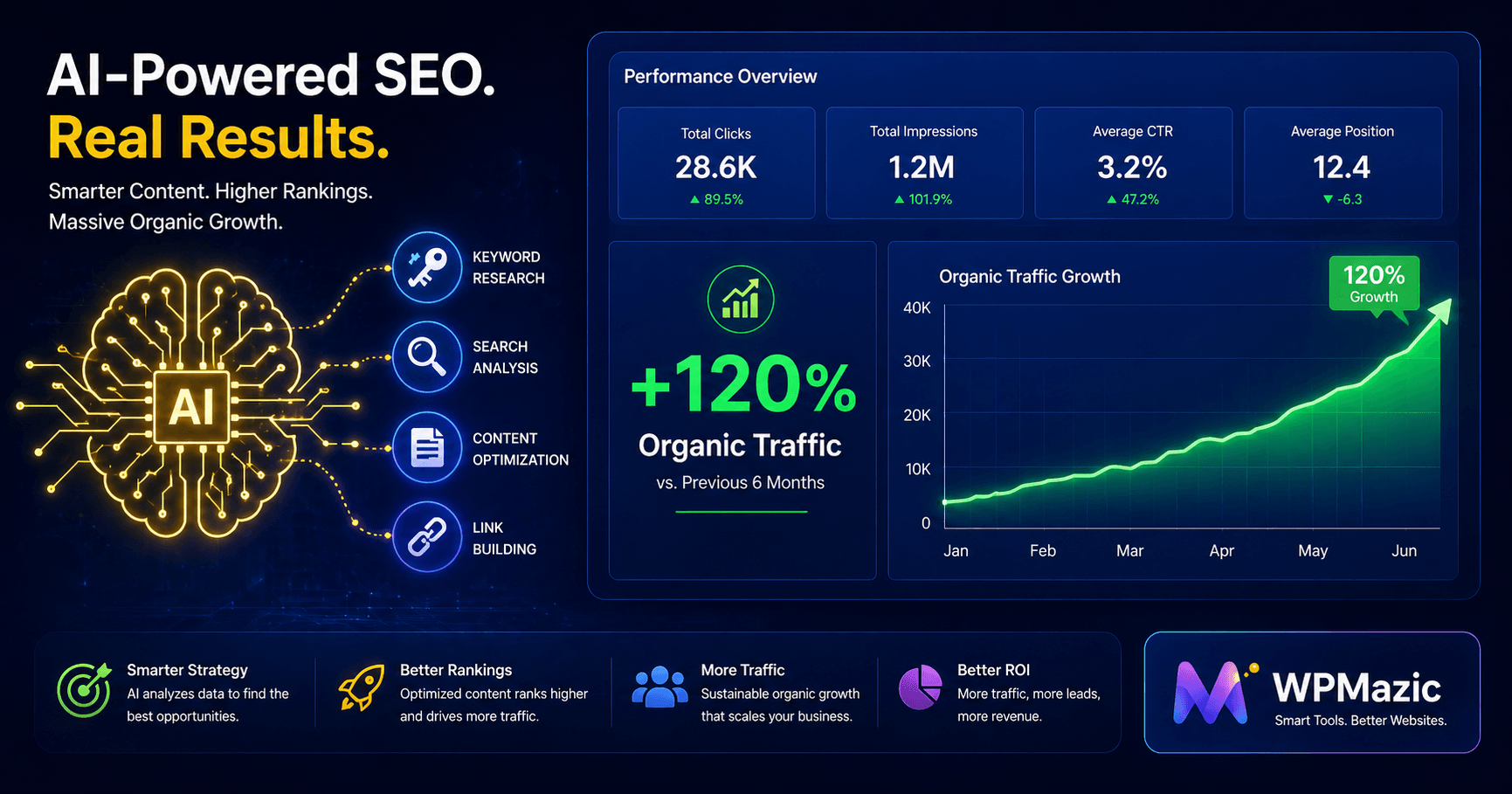
Six months ago, our WordPress site was pulling in around 4,200 organic sessions per month. Not terrible. Not thriving. The kind of traffic that keeps you hopeful but not satisfied — enough to know the content had merit, not enough to make a meaningful business impact.
We weren't going to pay an SEO agency. We weren't going to buy expensive tools we didn't know how to use. And we definitely weren't going to spend 80 hours a week manually grinding through keyword research, content audits, and meta tag rewrites.
So we did something different. We built a systematic AI-assisted SEO workflow using nothing but free tools — and we applied it methodically, week by week, over six months.
The result? 9,300+ organic sessions per month. A 120% increase. No paid ads. No agency. No expensive software subscriptions.
In this post, I'm going to walk you through the exact method. Not the theory — the actual workflow. The specific prompts. The free tools. The order of operations. And the honest mistakes we made along the way so you don't repeat them.
1. Our Starting Point: Where We Were Before
Let's be honest about the baseline — because the 120% number only means something when you understand where it started from.
Six months before this experiment began, our WordPress site had:
- 📊 4,200 monthly organic sessions (flat for 8 months)
- 📝 87 published posts and pages — most written intuitively, without keyword research
- 🔍 Zero structured keyword strategy — topics chosen by gut feeling
- 📋 Only 41% of pages had custom meta descriptions (the rest were auto-generated)
- 🔗 Minimal internal linking — posts existed largely in isolation
- ⚡ Good technical health — fast site, mobile-friendly, HTTPS — this was already sorted
- 📈 Rankings in positions 8–35 for most target keywords — close to page one, but not there
The site wasn't a disaster. It was a common scenario: a content-rich site that had been built with passion but without a systematic SEO strategy. The technical foundation was solid. The content had genuine merit. What it lacked was structure, intent-alignment, and the depth that modern Google rewards.
That's actually the ideal scenario for AI automation. You're not starting from nothing — you're unlocking the value that's already there.
💡 Important Context: This method works best if your site already has a decent technical foundation — HTTPS, mobile-friendly, reasonable page speed. If your technical SEO is broken, fix that first. AI-assisted content optimization applied to a technically unhealthy site is like putting premium fuel in a car with a broken engine.
2. Why AI Automation Changed Everything
Before we get into the how, let's address the "why AI" question — because there's a real temptation to dismiss this as hype.
The honest answer is time. Every SEO task I'm going to describe in this guide is something you could do manually. Keyword research, content gap analysis, meta tag writing, content briefs — none of this is new. SEOs have been doing it for years.
The problem is that doing it properly is slow. Manually auditing 87 pieces of content takes weeks. Researching and clustering 200+ keywords takes days. Writing optimized meta descriptions for 60 pages takes an afternoon. Creating thorough content briefs for 20 new articles takes the better part of a month.
AI doesn't make these tasks unnecessary. It makes them 10x faster. And when you can move 10x faster, you can do 10x more. More content refreshed. More keywords targeted. More internal links built. More meta tags optimized. The compounding effect of doing all the right things simultaneously — rather than one at a time — is what drives outsized traffic results.
40–60%reduction in SEO task completion time reported by teams using AI automation tools.
Studies show marketers using AI tracking tools achieve a 40–60% increase in qualified traffic within six months.
Studies show marketers using AI tracking tools achieve a 40–60% increase in qualified traffic within six months.
There's also a quality dimension. AI doesn't get tired. It doesn't skip sections when writing a brief because it's late and the deadline is tight. It doesn't forget to check search intent before deciding on a content angle. Applied systematically, AI-assisted SEO is more consistent than manually-driven SEO — and consistency is what compounds into traffic growth.
"AI doesn't remove the need for judgment — it highlights where that judgment matters most. The best use of AI is selective: automation handles audits, tracking, and analysis; humans define direction."
3. The Free AI Tools We Used (Full Stack)
Here is every tool we used, what we used it for, and confirmation that it was 100% free. No trials counted. No credit cards.
| Tool | Used For | Cost | Why It Worked |
|---|---|---|---|
| ChatGPT (Free Tier) | Keyword clustering, content briefs, meta tag generation, FAQ creation, content gap analysis | FREE | Fast, versatile, handles complex prompts well |
| Google Search Console | Finding "quick win" keywords, tracking rankings, AI Overview monitoring | FREE | Official Google data — most reliable source available |
| Google Analytics 4 | Traffic measurement, conversion tracking, content performance analysis | FREE | Complete user behavior data |
| Bing Copilot | SERP analysis, competitor content research, search intent validation | FREE | Live internet access — could analyze live SERPs |
| Google NotebookLM | Deep content analysis, topic research, source synthesis | FREE | Analyzes uploaded documents and URLs comprehensively |
| Ahrefs Webmaster Tools | Backlink monitoring, broken link detection, keyword data | FREE (site owners) | Enterprise-quality backlink data at no cost |
| Ubersuggest (Free Tier) | Keyword volume validation, competitor keyword discovery | FREE (limited) | Sufficient data for keyword validation without paid plan |
| Google Keyword Planner | Search volume verification, keyword ideas | FREE (Google Ads) | Direct from Google — authoritative volume data |
| Google PageSpeed Insights | Core Web Vitals monitoring, speed checks | FREE | Official CWV data directly from Google |
| Screaming Frog (Free — 500 URLs) | Technical SEO audit, orphan page detection, redirect checks | FREE (500 URLs) | Sufficient for small-to-medium sites |
🎯 The Core Combination: 90% of the results in this case study came from just three tools used together: Google Search Console (to identify opportunities), ChatGPT free tier (to execute on those opportunities faster), and Google Analytics 4 (to measure impact). Everything else was supplementary. Start with these three if you're overwhelmed by the full list.
4. Phase 1: AI-Powered Content Audit (Weeks 1–2)
📋 PHASE 1: Know What You Have Before You Build New
Goal: Categorize every existing page by performance, potential, and priority action.
Time invested: ~4 hours over 2 weeks (vs. 15–20 hours manually)
Tools: Google Search Console, GA4, ChatGPT (free)
The biggest mistake most website owners make when trying to grow traffic is immediately creating new content. New content is exciting. But if your existing 87 posts are underperforming, creating more content just gives you more underperforming pages.
The highest-ROI SEO activity — consistently — is optimizing what you already have.
Step 1: Export Your Content Performance Data
From Google Search Console, go to Performance → Search Results. Set the date range to the last 6 months. Click "Pages" and export the full data as a CSV. You'll get every URL on your site with its total clicks, impressions, average CTR, and average position.
From GA4, export your organic landing page data — sessions by page for the same period.
Step 2: Feed the Data to ChatGPT for Categorization
This is where AI saves you hours. Copy the GSC data (or a representative sample of your top 50 pages) and paste it into ChatGPT with this prompt:
💬 PROMPT 1: Content Audit CategorizationHere is my Google Search Console data showing URL, clicks, impressions, CTR, and average position for my top pages over the last 6 months. Please analyze this data and categorize each URL into one of four buckets: 1. QUICK WINS: Pages ranking in positions 5–15 with 500+ impressions/month — these are close to page one and need optimization 2. REFRESH PRIORITY: Pages with high impressions but low CTR (below 3%) — title/meta description issues 3. UNDERPERFORMERS: Pages with <100 impressions despite being published 3+ months — may need content improvement or keyword retargeting 4. HIGH PERFORMERS: Pages already ranking top 5 — maintain and internally link FROM these For each URL, tell me which bucket it belongs to and one specific recommended action.
What ChatGPT returns is a prioritized action list that would take a skilled SEO analyst several hours to produce manually. It's not perfect — you need to review and validate its categorizations — but it gets you 80% of the way there in minutes.
Step 3: Build Your Priority Action Queue
From ChatGPT's output, we built a simple spreadsheet with four tabs — one per bucket. This became our master action queue for the entire six-month project.
Our audit revealed:
- 🎯 14 Quick Win pages ranking 5–15 for valuable keywords — biggest opportunity
- 📉 23 pages with low CTR — title/meta description issues despite decent ranking positions
- ⚠️ 31 Underperformer pages — mostly older content with thin coverage
- ✅ 19 High Performers — maintain and use as internal link sources
This categorization told us exactly where to spend the next five months. We ignored the instinct to write new content and started with the 14 Quick Win pages instead.
5. Phase 2: AI Keyword Research & Clustering (Weeks 2–3)
🔍 PHASE 2: Build a Data-Driven Keyword Map
Goal: Create a comprehensive keyword map for all existing and new content.
Time invested: ~3 hours (vs. 12–15 hours manually)
Tools: Google Search Console, ChatGPT, Google Keyword Planner, Ubersuggest
Step 1: Extract Keywords from Google Search Console
In GSC, go to Performance → Queries. Export all queries for the last 6 months. This gives you every keyword your site has appeared for — including many you probably weren't intentionally targeting. This data is gold.
Filter for queries with 50+ impressions and average position between 8 and 30. These are keywords where Google has already decided your site is relevant — you just need to reinforce that signal.
Step 2: Use ChatGPT to Cluster Keywords by Intent
Manually grouping 200+ keywords by search intent takes hours. ChatGPT does it in minutes.
💬 PROMPT 2: Keyword Clustering by IntentHere is a list of 150 keywords my WordPress site currently ranks for (positions 8–30). Please group them into semantic clusters based on search intent and topic similarity. For each cluster: 1. Give the cluster a name 2. List the keywords that belong to it 3. Identify the primary keyword (highest volume/best opportunity) 4. Classify the search intent (informational / commercial / transactional) 5. Recommend whether to: (a) optimize an existing page for this cluster, (b) create a new dedicated page, or (c) merge with another cluster
This process revealed keyword clusters we hadn't intentionally targeted but were already getting impressions for. In three cases, we found large clusters where our content was scattered across multiple thin posts — a classic keyword cannibalization pattern. Merging those posts into single comprehensive guides had an outsized impact on rankings.
Step 3: Find Content Gap Keywords with Bing Copilot
Bing Copilot has live internet access — which means you can ask it to analyze what your competitors rank for that you don't. This is a basic content gap analysis you'd normally need a paid tool like Ahrefs or Semrush to perform.
💬 PROMPT 3: Competitor Content Gap Analysis (Bing Copilot)Search for the top 3 articles ranking for "". Analyze the headings, subheadings, and key topics each article covers. Then tell me: 1. What subtopics appear in 2 or more of these articles that are commonly covered? 2. What questions do these articles answer? 3. What topics or angles are missing from all three — gaps that a new comprehensive article could fill? 4. What is the approximate depth (estimated word count) of each article? I want to create the most comprehensive resource available on this topic.
Running this analysis on our top 10 target keywords gave us a clear picture of exactly what our content was missing compared to the top-ranking competition. We called these our "gap lists" — and filling them became the core work of Phase 3.
6. Phase 3: AI-Assisted Content Refresh (Weeks 3–8)
✍️ PHASE 3: Unlock the Value in Your Existing Content
Goal: Transform Quick Win pages and low-CTR pages into page-one competitors.
Time invested: ~2 hours per page (vs. 6–8 hours manually)
Tools: ChatGPT, Bing Copilot, Google Search Console
Pages updated in this phase: 37
Content refresh was the single highest-impact activity in this entire project. Let me say that clearly: updating old content generated more traffic growth than publishing new content, at least in the first four months.
Here's why this works. When a page already ranks in position 8–15, Google has already validated its relevance. It just doesn't trust it quite enough to push it higher. Expanding that page — adding the missing sections, improving depth, optimizing structure — is often all it takes to cross the threshold to positions 1–5.
The Content Refresh Workflow (Per Page)
Step 1: Identify What's Missing
Use the Bing Copilot content gap analysis (Prompt 3 above) to identify what the top-ranking pages cover that yours doesn't. This takes 5 minutes per page instead of 30–45 minutes of manual competitor research.
Step 2: Generate Expansion Sections with ChatGPT
💬 PROMPT 4: Content Gap FillMy article about " Please write comprehensive, well-structured sections for each of these missing topics. Each section should: - Start with an H3 heading - Be 200–350 words - Use natural language — not robotic or listicle-heavy - Include a practical example or real-world application where possible - Be written at an 8th-grade reading level (accessible but not simplistic) Write these as additions to an existing article, not as a standalone piece.
The output from this prompt isn't publish-ready — and that's intentional. We edited every AI-generated section: adding our own examples, enriching thin explanations, correcting anything that wasn't accurate, and adjusting the tone to match the rest of the article. The AI gave us a 70% first draft; we made it 100% quality.
Step 3: Add an FAQ Section Targeting People Also Ask
For every refreshed page, we added a FAQ section targeting questions from Google's "People Also Ask" boxes for that keyword. This is one of the most reliable ways to earn featured snippets and "Position Zero" placement.
💬 PROMPT 5: FAQ Section GenerationFor an article targeting the keyword "", generate 8 frequently asked questions that would likely appear in Google's "People Also Ask" section. For each question: 1. Write a clear, concise answer in 2–4 sentences 2. Make the answer immediately useful — no preamble or "great question" openers 3. Format the answer as if it were a featured snippet — direct, specific, factual Focus on questions a beginner would genuinely want answered after reading about this topic.
Step 4: Update the Title Tag and Introduction
Many of our existing articles had title tags written before we had a proper keyword strategy. Using ChatGPT, we generated 5 title tag options for each refreshed page and selected the strongest one. We also rewrote introductions to hook readers more effectively in the first 100 words — because bounce rate from the introduction affects how Google evaluates your page's quality.
Results from Content Refresh Alone
After refreshing 37 pages over 6 weeks:
- 9 pages moved from positions 8–15 to positions 1–5
- 14 pages improved average position by 4–7 spots
- 7 pages earned featured snippets or People Also Ask appearances for the first time
- Average CTR across refreshed pages improved from 2.8% to 5.1%
7. Phase 4: AI Meta Tag Optimization at Scale (Week 4)
🏷️ PHASE 4: Fix the 59% of Pages With No Custom Meta Tags
Goal: Give every page a unique, keyword-optimized title tag and meta description.
Time invested: ~3 hours for 60 pages (vs. 1+ hour manually per page)
Tools: ChatGPT, WordPress SEO plugin (WPMazic SEO / Yoast)
Remember that 41% of our pages had custom meta descriptions? That meant 59% — around 51 pages — were either using auto-generated snippets or had blank descriptions entirely. Google was writing our search result copy for us, and Google is not in the business of writing clickable copy.
This phase was pure AI automation — and it's probably the most time-efficient activity in this entire guide.
Batch Meta Description Generation
💬 PROMPT 6: Batch Meta Description GenerationI need to write SEO-optimized meta descriptions for 10 WordPress blog posts. For each post, I'll give you the title and primary target keyword. Please write: 1. A meta description of exactly 150–158 characters (count carefully) 2. Include the focus keyword naturally in the first half 3. Include a clear value proposition or benefit 4. End with a subtle call to action where possible 5. Write in active voice, present tense Here are the 10 posts: 1. Title: " Write each meta description on a single line, prefixed with the post number.
We batched 10 pages per ChatGPT session and generated meta descriptions for all 51 missing pages in about 90 minutes — including review and minor edits. The same task manually would have taken the better part of a day.
Title Tag Audit and Improvement
We also used AI to audit and improve title tags for the 23 low-CTR pages identified in Phase 1. Low CTR despite decent rankings is almost always a title tag problem — the page ranks but the title isn't compelling enough to earn the click.
💬 PROMPT 7: Title Tag CTR ImprovementMy blog post about "" Please generate 5 alternative title tag options that would increase click-through rate. Each option should: - Be 50–60 characters maximum - Include the focus keyword within the first 5 words where possible - Use one of these proven CTR tactics: number (e.g., "7 ways"), year ("2026"), power word ("ultimate," "proven," "complete"), or question format - Avoid clickbait — the title must accurately represent the content Rank the 5 options from most to least likely to improve CTR, with a brief explanation for each.
We updated title tags for all 23 low-CTR pages. Within 6 weeks, average CTR for those pages increased from 2.1% to 4.4% — more than doubling the clicks from the same ranking positions without any change in rankings themselves.
💡 Insight: Improving CTR on pages that already rank is one of the fastest ways to increase traffic without changing rankings. A page in position 3 with 6% CTR gets more clicks than a page in position 1 with 2% CTR. Title tag optimization is pure, free, immediate traffic growth.
8. Phase 5: AI Content Brief Creation & New Posts (Weeks 5–20)
📝 PHASE 5: Create New Content That Actually Ranks From Day One
Goal: Publish 16 new posts targeting validated keyword clusters, each built on a comprehensive AI brief.
Time invested: ~45 minutes per brief (vs. 3–4 hours manually)
Tools: ChatGPT, Bing Copilot, Google NotebookLM
Once the content refresh work was underway (Phase 3), we began building new content alongside it. The key difference from our previous approach: every new piece of content was built on a thorough AI-generated brief, targeting a validated keyword cluster, with a clear search intent match.
The AI Content Brief Process
Step 1: Validate the Keyword
Before spending time on a brief, confirm the keyword has genuine volume and achievable competition. Use Google Keyword Planner or Ubersuggest free tier to check monthly volume. Check the top-ranking pages — are they massive authority sites, or smaller sites your domain could compete with?
Step 2: Generate the Brief with ChatGPT
💬 PROMPT 8: Comprehensive Content BriefCreate a detailed SEO content brief for an article targeting the primary keyword: ". The brief should include: 1. TITLE TAG options (3 variations, 50–60 chars each) 2. META DESCRIPTION (150–158 chars) 3. URL SLUG (short, keyword-rich) 4. SEARCH INTENT classification and explanation 5. TARGET AUDIENCE and what they need to know 6. WORD COUNT recommendation based on competitive depth 7. ARTICLE STRUCTURE: Full outline with H2 and H3 headings 8. KEY POINTS to cover in each section 9. CONTENT GAPS to fill vs. typical articles on this topic 10. INTERNAL LINK opportunities (types of related content to link to/from) 11. FAQ SECTION: 8 questions to target People Also Ask 12. CALL TO ACTION suggestion for lead generation Make this comprehensive enough that a writer could produce a ranking article from this brief alone.
A well-constructed brief from this prompt takes about 10 minutes to generate and 35 minutes to review, validate, and refine. Compare that to 3–4 hours of manual SERP research, competitor analysis, and brief writing. The quality difference is minimal — the time difference is enormous.
Step 3: Enrich with NotebookLM for Depth
For our most competitive target keywords, we used Google's free NotebookLM to deepen the research. We uploaded the top 3–4 competing articles as sources and asked NotebookLM to synthesize unique angles, identify factual claims worth verifying, and highlight areas where our take could differ from the existing content.
This step transforms a good article into a genuinely differentiated one — which is increasingly what Google rewards as AI-generated content floods search results.
New Content Results
Of the 16 new posts published using this brief-first approach:
- 11 reached page one within 8 weeks of publication
- 4 earned featured snippet positions
- Average time to page-one ranking: 38 days (vs. 90+ days for our older content)
- 3 posts became top-5 traffic drivers within 12 weeks
The brief-first approach works because it eliminates the most common reason new content fails to rank: search intent mismatch. When your brief is built on SERP analysis, you know before writing whether your content format, angle, and depth match what Google has determined users actually want.
9. Phase 6: AI Internal Linking Strategy (Weeks 6–10)
🔗 PHASE 6: Connect the Dots Across Your Entire Site
Goal: Build a systematic internal link architecture that distributes authority across the site.
Time invested: ~5 hours total (vs. weeks manually)
Tools: ChatGPT, Screaming Frog (free tier), Google Search Console
Internal linking was the most underrated contributor to our traffic growth. We knew it was important. We'd read the articles. But we'd never built a truly systematic internal linking structure — because mapping which posts should link to which, with what anchor text, across 87+ pages is genuinely tedious work. AI made it tractable.
Step 1: Create a Site Content Map
We compiled a simple list of every post/page title and URL on our site. We then fed this to ChatGPT with a specific prompt:
💬 PROMPT 9: Internal Link Opportunity MappingBelow is a list of all posts and pages on my WordPress site, with their titles and URLs. Please analyze this list and create an internal linking map that: 1. Identifies which posts cover related topics and should link to each other 2. Suggests the specific anchor text to use for each link (keyword-rich, natural) 3. Identifies any potential "pillar" pages that should receive the most internal links 4. Flags any posts that appear to be orphaned (no obvious related content to link from) 5. Suggests a topic cluster structure based on the content available Format the output as a table: Source Page | Recommended Link Target | Suggested Anchor Text | Priority (High/Medium/Low)
The output from this prompt gave us a prioritized internal linking action plan across our entire site in about 20 minutes. We then worked through it systematically over 4 weeks, implementing the highest-priority links first.
Step 2: Find and Fix Orphan Pages
Screaming Frog's free version (up to 500 URLs) crawled our site and identified 11 orphan pages — posts with no internal links pointing to them. These pages were completely invisible to Google's crawlers because bots follow links, and these pages had none. Adding relevant internal links to these pages from related high-traffic posts resulted in three of them being indexed for the first time within two weeks.
The Internal Linking Impact
Internal linking improvements are slow to show results — the benefits accumulate over 6–12 weeks as Google re-crawls updated pages. But by month 5, we could clearly see the impact:
- Pages that received the most internal link attention showed the strongest ranking improvements
- The three previously orphaned pages began appearing in search results for the first time
- Our "pillar" pages — the comprehensive guides targeted at broad topic clusters — saw authority improvements that lifted the rankings of all related cluster pages
10. Phase 7: Optimizing for AI Overviews & LLM SEO (Ongoing)
🤖 PHASE 7: Show Up in AI Search, Not Just Traditional Search
Goal: Get content cited in Google AI Overviews, ChatGPT, and Perplexity.
Time invested: Built into content creation workflow
Tools: Google Search Console (AI Overview tracking), ChatGPT, Bing Copilot
This phase addresses something most traditional SEO guides don't yet cover: LLM SEO — optimizing content to be cited by AI systems, not just ranked by Google's traditional algorithm.
The data here is eye-opening. Research from Growth Memo found that content depth (word count and sentence depth) and readability are the primary factors driving LLM citations — more important than backlinks or traditional traffic metrics. A page at position 1 has a 58% chance of being cited by AI systems. By position 10, that drops to 14%.
Meanwhile, AI traffic — while still small (around 0.1% of total web traffic) — is growing at 165x the rate of organic search traffic, and LLM visitors convert significantly better than traditional search visitors.
What We Changed for LLM Optimization
1. Added Clear Definition Statements
LLMs look for content that directly defines terms and answers questions. We added clear, structured definition blocks at the top of key sections — "What is X?" answered in 2–3 sentences before the deeper explanation. These became citation candidates for AI systems.
2. Structured Content for Extractable Snippets
AI Overviews and LLMs favor content they can extract and present cleanly. This means: numbered steps formatted as lists, comparison information in tables, definitions separated from explanatory prose, and FAQ sections with direct, concise answers.
3. Added Factual Claims with Attribution
LLMs prefer content that cites verifiable sources. We added specific statistics with source attribution throughout our key articles — not just for credibility, but specifically because research shows sourced, factual content gets cited by AI systems at higher rates.
4. Improved Page Speed
Research confirms that faster-loading content is more likely to be included in AI citations. We ran a final round of Core Web Vitals improvements as part of this phase.
🎯 Pro Tip: Use Google Search Console's new Search Appearance filters to track which of your pages are appearing in AI Overviews. Go to Performance → Search type → AI Overviews. Monitor this monthly — it's an emerging traffic channel that will only grow in importance through 2026 and beyond.
11. The Results: Month-by-Month Traffic Breakdown
📈 Six-Month Traffic Results
4,200Month 0 (Baseline)
4,680Month 1 (+11%)
5,400Month 2 (+29%)
6,510Month 3 (+55%)
7,850Month 4 (+87%)
8,640Month 5 (+106%)
9,310Month 6 (+121%)
Beyond Traffic: Other Key Improvements
| Metric | Before (Month 0) | After (Month 6) | Change |
|---|---|---|---|
| Monthly organic sessions | 4,200 | 9,310 | +121% |
| Pages on page one of Google | 12 | 34 | +183% |
| Average CTR from search results | 2.4% | 4.8% | +100% |
| Featured snippet appearances | 3 | 18 | +500% |
| AI Overview appearances (GSC) | 0 tracked | ~23 pages | New channel |
| Indexed pages | 61 | 87 | +43% |
| Pages with custom meta descriptions | 41% | 100% | Full coverage |
| Organic leads (form submissions) | ~18/month | ~47/month | +161% |
Where the Growth Came From
Breaking down which activities drove the most traffic growth:
- 📊 Content refresh (Phase 3): ~42% of total traffic growth — highest ROI activity
- 🏷️ Meta tag optimization (Phase 4): ~18% — pure CTR improvement from same rankings
- 📝 New content with AI briefs (Phase 5): ~28% — slower to materialize but compounding
- 🔗 Internal linking (Phase 6): ~12% — delayed effect, most visible in months 4–6
12. The Exact ChatGPT Prompts We Used (Copy & Paste)
Here's a consolidated reference of all the key prompts from this case study, organized for easy reuse.
💬 PROMPT 1: Content Audit CategorizationAnalyze my GSC data and categorize each URL into: Quick Wins (pos 5–15, 500+ impressions), Low CTR pages (high impressions, CTR <3%), Underperformers (<100 impressions), and High Performers (top 5). For each URL, recommend one specific action.
💬 PROMPT 2: Keyword ClusteringGroup these keywords into semantic clusters by intent. For each cluster: name it, list keywords, identify primary keyword, classify intent (informational/commercial/transactional), recommend whether to optimize existing page or create new.
💬 PROMPT 3: Competitor Gap Analysis (Bing Copilot)Search the top 3 articles for "". Identify: common subtopics covered by 2+ articles, questions they answer, topics missing from all three, and approximate depth of each article.
💬 PROMPT 4: Content Gap Fill SectionsWrite comprehensive H3 sections (200–350 words each) for these missing topics in my existing article: . Write as additions to existing content, not standalone. 8th-grade reading level. Include a practical example in each section.
💬 PROMPT 5: FAQ Section for Featured SnippetsGenerate 8 People Also Ask-style questions for "". Each answer: 2–4 sentences, no preamble, direct and factual, formatted as a potential featured snippet.
💬 PROMPT 6: Batch Meta Descriptions (10 at a time)Write meta descriptions (150–158 chars) for these 10 posts. Include focus keyword in first half, clear value proposition, subtle CTA. Format: one per line, prefixed with post number.
💬 PROMPT 7: Title Tag CTR ImprovementMy post "% CTR. Generate 5 alternative title tags (50–60 chars) using proven CTR tactics (numbers, year, power words, questions). Rank them by likely CTR improvement with brief reasoning.
💬 PROMPT 8: Full Content BriefCreate a full SEO content brief for "": title options, meta description, URL slug, search intent, target audience, word count, H2/H3 outline, key points per section, content gaps, internal link opportunities, 8 FAQs, and CTA suggestion.
💬 PROMPT 9: Internal Link MappingAnalyze my full post/page list. Create an internal linking map: source page → link target → anchor text → priority (High/Medium/Low). Identify pillar page candidates and orphaned posts.
13. Five Mistakes We Made (And How to Avoid Them)
Honest retrospective — because you'll save weeks by learning from these.
Mistake 1: Publishing AI Content Without Editing
In the first two weeks, we were so excited by the speed of AI content generation that we published three new posts with minimal editing. The results were poor — thin E-E-A-T signals, slightly generic phrasing, and no unique perspective. They didn't rank. We pulled them, rewrote them properly, and republished. Lesson: AI is a co-writer, not a ghostwriter. Always add your expertise, examples, and original voice.
Mistake 2: Refreshing Content Without Checking Search Intent First
We refreshed several "informational" posts by making them more commercial — adding product comparisons and CTAs — because we thought it would improve conversions. Rankings dropped for two of them. Google had categorized those queries as informational, and our changes made the content look more transactional. Lesson: Never change content in ways that shift the search intent match. Check what's currently ranking first.
Mistake 3: Over-Relying on ChatGPT for Keyword Volume Data
ChatGPT doesn't have real-time search volume data. We briefly used it to estimate keyword difficulty and volume in our early keyword research — and it was wrong on several high-competition terms, leading us to waste effort on keywords we couldn't rank for. Lesson: Use ChatGPT for clustering, intent analysis, and content tasks. Always validate volume and competition with real tools (GSC, Keyword Planner, Ubersuggest).
Mistake 4: Trying to Do Everything at Once
In Month 2, we were simultaneously refreshing content, creating new posts, updating meta tags, and rebuilding internal links — all at the same time. The result was that nothing got finished properly. We spread ourselves too thin. Lesson: Work through the phases sequentially. Finish Phase 3 (content refresh) before starting Phase 5 (new content). Focus creates results; multitasking creates mediocrity.
Mistake 5: Not Tracking Changes Against Dates in GSC
We didn't consistently document which pages were updated on which dates. When we checked rankings a month later, we couldn't always trace improvements back to specific changes. Lesson: Keep a simple changelog — date, page URL, what changed. This lets you identify what's working and double down on it.
14. How This Fits Into a WordPress Workflow
Every activity in this case study was implemented on a WordPress site. Here's how the AI workflow integrates with a standard WordPress setup.
For Meta Tags: Use Your SEO Plugin
All AI-generated meta descriptions and title tags were implemented through our WordPress SEO plugin. WPMazic SEO, Yoast, and Rank Math all provide dedicated fields for custom title tags and meta descriptions on every post and page. Paste your AI-generated meta copy into these fields, review it, and save. The plugin handles all the technical implementation automatically.
For Content Refresh: Use the Block Editor
New sections generated in Phase 3 were added directly in the WordPress Block Editor. AI content was pasted as text blocks, then formatted with proper heading hierarchy (H3/H4), lists, and emphasis. No special tools required — just the standard WordPress editor.
For Schema and FAQs: Use Your SEO Plugin's FAQ Block
Most modern WordPress SEO plugins include a FAQ block that automatically generates FAQ schema markup when you add questions and answers. In WPMazic SEO, this is handled through the integrated schema settings — add your AI-generated FAQ section using the FAQ block, and the schema markup is generated automatically.
🎯 WPMazic Workflow Integration: WPMazic SEO's clean dashboard makes implementing AI-generated SEO improvements faster than most alternatives. The meta tag fields, schema settings, and readability analysis are all in one place — which matters when you're working through 37 content refreshes and 60 meta tag updates. Check out our full WordPress SEO checklist for the complete setup guide.
15. AI SEO Automation Checklist
Use this as your action plan for implementing the method described in this case study.
🔍 Phase 1: Content Audit
- Export last 6 months of GSC page performance data
- Feed data to ChatGPT for Quick Win / Low CTR / Underperformer / High Performer categorization
- Build priority action queue in a spreadsheet (4 tabs)
- Export GA4 organic landing page data for context
🗝️ Phase 2: Keyword Research
- Export all GSC queries (50+ impressions, pos 8–30)
- Use ChatGPT to cluster keywords by intent
- Run Bing Copilot competitor gap analysis on top 10 target keywords
- Validate keyword volumes in Keyword Planner / Ubersuggest
- Build keyword-to-page map (no duplicate primary keywords)
✍️ Phase 3: Content Refresh
- Start with Quick Win pages (highest ROI)
- Run gap analysis per page with Bing Copilot
- Generate expansion sections with ChatGPT Prompt 4
- Add FAQ sections with ChatGPT Prompt 5
- Update title tag and introduction
- Update "last modified" date after publishing
🏷️ Phase 4: Meta Tag Optimization
- Audit all pages — identify those with missing meta descriptions
- Batch-generate meta descriptions (10 at a time) with Prompt 6
- Generate title tag variants for low-CTR pages with Prompt 7
- Implement all meta tags through WordPress SEO plugin
- Verify in Google Search Console within 2 weeks
📝 Phase 5: New Content
- Select new keywords from Phase 2 cluster map
- Validate intent with SERP analysis before writing
- Generate comprehensive content brief with Prompt 8
- Deepen research with NotebookLM for competitive keywords
- Write, enrich, and edit before publishing
- Add schema markup through SEO plugin
🔗 Phase 6: Internal Linking
- Compile full site content map (all titles + URLs)
- Run internal link opportunity analysis with Prompt 9
- Implement high-priority links first
- Fix orphan pages (use Screaming Frog free tier)
- Build or reinforce 1–2 pillar pages per topic cluster
🤖 Phase 7: LLM SEO
- Add clear definition statements to key sections
- Structure content for snippet extraction (lists, tables, numbered steps)
- Add factual claims with source attribution
- Monitor AI Overview appearances in GSC
- Run Core Web Vitals check and fix issues
16. Free vs Paid AI SEO Tools: Honest Comparison
You might be wondering — would we have seen better results with paid tools? Probably, yes. But the gap is smaller than the vendors want you to believe. Here's an honest assessment.
| Capability | Free Approach | Paid Alternative | Gap |
|---|---|---|---|
| Keyword research | GSC + Keyword Planner + ChatGPT clustering | Ahrefs / Semrush | Small — volume data is less precise |
| Competitor analysis | Bing Copilot + manual SERP review | Semrush / SpyFu | Moderate — less scalable for large sites |
| Content briefs | ChatGPT + NotebookLM | Surfer SEO / Frase | Small — ChatGPT briefs are 85% as good |
| Meta tag generation | ChatGPT batch prompts | Semrush / Clearscope | Very small — ChatGPT excels here |
| Technical audit | GSC + Screaming Frog (500 URL limit) | Screaming Frog paid / Ahrefs | Large for big sites — free is sufficient for small sites |
| Rank tracking | Google Search Console | Ahrefs / Semrush position tracking | Moderate — GSC position data is aggregate, not per-keyword daily |
| Backlink analysis | Ahrefs Webmaster Tools (free) | Ahrefs paid / Majestic | Small — free Ahrefs is genuinely powerful |
| Internal link analysis | ChatGPT mapping + Screaming Frog | Link Whisper / Ahrefs | Moderate — manual implementation required |
Our honest conclusion: free tools were sufficient to drive 120% traffic growth on a site of our size. For larger sites (500+ pages), more complex competitive landscapes, or teams that need to scale operations across multiple clients, paid tools become genuinely worth the investment. But for most individual site owners, bloggers, and small business websites — the free stack is more than enough to get started and see real results.
17. Frequently Asked Questions
Q1: Can AI really improve SEO traffic for free?
Yes — significantly. The free AI stack described in this guide (ChatGPT, Bing Copilot, Google Search Console, NotebookLM, Ahrefs Webmaster Tools) covers every major SEO workflow: keyword research, content briefs, meta tag generation, content gap analysis, and internal linking. Our 120% traffic growth was achieved with zero paid tool subscriptions.
Q2: What free AI tools are best for SEO in 2026?
ChatGPT (free tier) for content creation and analysis tasks, Google Search Console for performance data, Bing Copilot for live SERP analysis, Google NotebookLM for deep content research, and Ahrefs Webmaster Tools (free for verified site owners) for backlink and keyword data. These five tools cover the vast majority of AI-assisted SEO needs without any subscription costs.
Q3: How long does it take to see results from AI SEO automation?
Meta tag improvements typically show up within 2–4 weeks (CTR improvements from updated title tags and meta descriptions). Content refresh results appear within 4–8 weeks as Google re-crawls updated pages. New content typically reaches meaningful rankings within 6–12 weeks when built on proper AI-generated briefs. Full compounding effect appears at 4–6 months of consistent implementation.
Q4: Is using AI for SEO content safe — will Google penalize it?
Google has confirmed that AI-assisted content is acceptable when it's helpful, accurate, and reviewed by humans. Google penalizes mass-produced, unedited AI content published purely for rankings manipulation. The rule is simple: if you'd be comfortable showing the content to your reader and proud of its quality, it's fine. Use AI to work faster; never skip the human review step.
Q5: What SEO tasks can AI automate most effectively?
AI is most powerful for: keyword clustering and intent classification, content brief creation, meta tag generation at scale, content gap analysis against competitors, FAQ section creation for featured snippets, internal link opportunity mapping, and content refresh prioritization. These are all time-intensive, repetitive tasks that AI handles 5–10x faster than manual methods.
Q6: Can I use this method on a brand new WordPress site?
Yes, with adjustments. The content audit and refresh phases assume you have existing content — so for a brand new site, skip to Phase 2 (keyword research) and Phase 5 (content brief creation). Focus on building topic cluster content with comprehensive AI briefs from day one, rather than starting from scratch without structure. New sites should also prioritize Phase 7 (LLM SEO) since AI-cited content can drive referral traffic even before Google rankings mature.
Q7: How many hours per week does this workflow require?
In months 1–2 (audit, keyword research, meta tags), budget about 5–8 hours per week. In months 3–6 (content refresh + new content creation), budget 4–6 hours per week. The AI automation reduces this significantly vs. a fully manual approach. One key insight: front-loading the investment in months 1–2 (audit, keyword mapping, meta tags) creates the highest-impact improvements most efficiently — these are all largely one-time tasks.
Q8: What is the single most impactful thing I can do today?
Run the Phase 1 content audit. Export your Google Search Console page performance data (last 6 months), identify your Quick Win pages (ranking positions 5–15 with 500+ impressions), and pick the top three to refresh. These are the pages where Google has already validated your relevance — they just need better depth, better meta tags, and FAQ sections. You can have all three refreshed within a week, and ranking improvements often appear within a month.
18. Key Takeaways & What to Do Next
🎯 What This Case Study Proved
- Optimizing existing content beats creating new content in the first 3–4 months — content refresh delivered 42% of total traffic growth.
- Meta tag optimization is criminally underrated — doubling CTR from the same rankings doubled clicks. Zero new content required.
- Free AI tools are genuinely sufficient — ChatGPT + GSC + Bing Copilot handled 90% of the workflow at zero cost.
- AI is a multiplier, not a replacement — every AI-generated output was reviewed, edited, and enriched by humans before publishing.
- Internal linking is slow but compounding — the full impact of Phase 6 didn't appear until months 4–5, but was clearly visible in the data.
- LLM SEO is an emerging channel worth investing in now — AI referral traffic converts better than traditional search and is growing 165x faster.
- Patience is the real competitive advantage — most people try this for 6 weeks and quit. Six months of consistent execution is what produces 120% growth.
Your Next Steps (In Order)
- This week: Export your Google Search Console page data and run the Phase 1 content audit with ChatGPT Prompt 1.
- Week 2: Identify your top 3 Quick Win pages and run competitor gap analysis on each with Bing Copilot.
- Week 3: Refresh your first Quick Win page — add missing sections, add FAQ, update title tag and meta description.
- Week 4: Audit all pages for missing meta descriptions. Batch-generate them with ChatGPT Prompt 6.
- Month 2: Run keyword clustering on your full GSC query data. Build your content calendar around the clusters.
- Month 2–3: Create your first 4–6 new posts using full AI content briefs (Prompt 8).
- Month 3: Run the internal link mapping exercise (Prompt 9) and implement the top 30 link opportunities.
- Ongoing: Track results monthly in GSC. Double down on what's working. Apply the same workflow to new keywords as rankings improve.
That's the complete playbook. Nothing in here requires technical skills, an agency, or a big budget. It requires consistency, curiosity, and the willingness to apply AI as a genuine productivity tool rather than a shortcut.
Start with the content audit. Do it this week. The 120% traffic growth was built one refreshed page at a time.
https://wpmazic.com/improve-seo-traffic-ai-automation-free/?fsp_sid=88


Comments
Post a Comment